

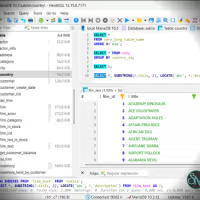


Exportizer is a Windows database utility for viewing, querying, editing, converting, and exporting data from different database systems and file formats. It supports everything from CSV, DBF, and XML files to Microsoft Access, Excel, PostgreSQL, SQL Server, Oracle, MySQL, and other relational databases.
The software is available in Standard, Pro, and Enterprise editions. The higher editions add SQL queries, database-to-database transfers, command-line automation, and broader database connectivity.
Features
Exportizer can open database tables in a grid where users can browse, edit, sort, resize, and rearrange columns. Data can then be exported to files, databases, the clipboard, or printed.
Supported export formats include:
CSV
XLS and XLSX
ODS
JSON
XML
HTML
PDF
RTF
DBF
SQL scripts
Text files
Other supported database formats
Pro and Enterprise editions add custom SQL queries and multi-command SQL scripts. Enterprise expands database-to-database export and import capabilities, including PostgreSQL, SQL Server, Oracle, Firebird, SQLite, and other supported database systems.
Other useful features include:
Multiple-table export
Batch export
Import between databases
Command-line export
Action files for automation
Saved export templates
Field and table mapping
Calculated fields
Export logs and error logs
BLOB and CLOB extraction
Image extraction from BLOB fields
Clipboard import and export
SQL query result export
Customizable data grids
Enterprise can export multiple tables or SQL query results in a single operation. For destinations such as XLSX, HTML, and relational databases, multiple source tables can also be combined into a target file or table.
Download Exportizer 10.3.7.1577 - Software Mirrors |
|---|
Exportizer (32-bit), installer Exportizer (64-bit), installer Exportizer Pro (32-bit), installer Exportizer Pro (64-bit), installer |
Performance and Compatibility
Exportizer is designed for database conversion and data-transfer tasks rather than general database administration. Its command-line and action-file capabilities make it useful for repeatable exports and automated workflows.
The software provides both 32-bit and 64-bit builds. On 64-bit Windows, both architectures can be installed independently. The architecture needs to match connected database components such as ODBC drivers and OLE DB providers where applicable.
For large database transfers, the choice of database interface can affect performance. For example, the documentation recommends the FD interface with Enterprise for PostgreSQL and SQL Server exports and states that batch mode can significantly improve export speed in supported scenarios.
Exportizer also provides detailed export logging and error handling, which can be useful when moving large amounts of data or troubleshooting failed records.
System Requirements
Exportizer supports:
Windows Vista
Windows 7
Windows 8
Windows 10
Windows 11
Exportizer Pro and Enterprise require .NET Framework 4.52 according to the developer's current system information. Both 32-bit and 64-bit builds are available.
Additional database drivers, clients, or providers may be required depending on the database being accessed. Their architecture must generally match the Exportizer build being used.
Pros and Cons
Pros
Supports many database and file formats
Database browsing and editing
SQL query support in Pro and Enterprise
Database-to-database migration
Multiple-table export
Command-line automation
Action files
Saved export configurations
Detailed export logging
BLOB and CLOB extraction
Calculated fields
32-bit and 64-bit builds
Supports PostgreSQL, SQL Server, Oracle, MySQL, Firebird, SQLite, Access, Excel, and more
Enterprise can combine multiple datasets into a single export
Cons
Windows only
Some advanced functionality requires Pro or Enterprise
Database drivers and providers may need separate installation
Architecture compatibility between Exportizer and database components can require attention
The large number of export options may be overwhelming for occasional users
How to Install
Download the appropriate Exportizer edition and architecture from the official website.
After downloading:
Extract the downloaded archive if necessary.
Run the installer.
Choose the required edition and 32-bit or 64-bit architecture.
Follow the installation wizard.
Launch Exportizer after installation.
Register or open the database you want to work with.
The developer recommends running the installer with administrator privileges when possible. Existing installations generally do not need to be removed before a minor upgrade.
When connecting to databases through ODBC or OLE DB, install the appropriate database components and make sure their architecture matches Exportizer.
Final Verdict
Exportizer is a practical database utility for users who frequently need to move data between different databases and file formats. Its combination of database browsing, SQL queries, conversion tools, multi-table exports, and automation makes it more capable than a basic database viewer.
The Enterprise edition is particularly useful for database migration and larger export jobs because it supports broader database targets, multiple datasets, and multi-table operations. Command-line and action-file support also makes it suitable for recurring data-transfer workflows.
The main limitation is that it is Windows-only and some database connections require additional drivers or providers with matching 32-bit or 64-bit architecture. For Windows users who regularly work with heterogeneous databases and need flexible data conversion or export tools, Exportizer provides a broad set of capabilities in a relatively focused application.