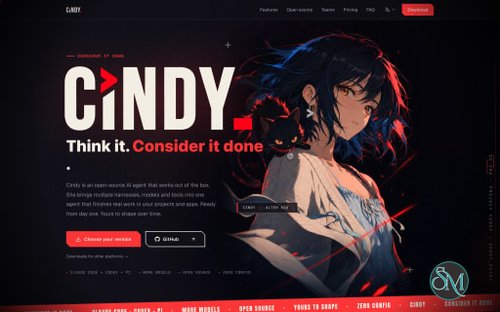
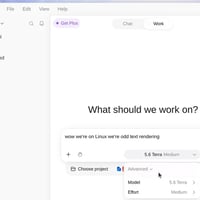


Cindy is an open-source AI agent designed to help users complete real tasks across software projects and applications. Developed by the team behind Cindy, it combines AI coding agents, multiple model providers, persistent memory, reusable skills, and automation features in a single desktop and mobile application.
Unlike conventional AI chatbots that primarily answer questions, Cindy is built to carry out tasks. It can work with local files, operate through supported tools, interact with browsers and computers, and coordinate work across different AI agents. Users can also configure recurring tasks and connect external services to expand its capabilities.
The project is particularly interesting for developers and power users who want a flexible AI assistant without being locked into a single model provider. Its open-source client is licensed under Apache 2.0, allowing developers to inspect, modify, and extend the code under the license terms.
However, the open-source client is not the same as a completely self-hosted service. Cindy's backend is maintained separately, and its full hosted capabilities depend on the official service.
Features
Multiple AI Models and Coding Agents
Cindy supports multiple AI models and agent harnesses within a shared application. Its initial supported coding agents include Claude Code and Codex, with additional capabilities under development.
Users can select different models and harnesses for their tasks instead of relying on a single AI provider. The application is designed to let users switch between supported combinations while retaining shared workspace context, memory, skills, and tools.
This flexibility is useful when different models perform better at different tasks. For example, one agent could help plan an implementation while another handles coding or reviews the resulting changes.
Cindy also supports coordinating agents with different model and harness combinations, including parallel execution and review workflows. This can help divide complex tasks into smaller pieces, although the quality of the result still depends on the models, instructions, and available tools.
Persistent Memory
Cindy includes a memory system designed to preserve useful information across conversations and supported agent harnesses.
Instead of explaining the same preferences or project conventions repeatedly, users can teach Cindy how they want certain tasks performed. The assistant can then reuse that information in future work.
Persistent memory is particularly useful for recurring development tasks, established coding conventions, and personal workflows. Its value depends on the relevance and accuracy of the stored information, so users should periodically review important instructions.
Reusable Skills
Skills allow users to teach Cindy repeatable procedures and reuse them across tasks.
For example, a developer could establish a preferred workflow for reviewing code, preparing releases, or investigating bugs. Cindy can then apply the relevant instructions when similar tasks arise.
The application supports portable Agent Skills, helping users build on existing workflows rather than starting from scratch. The project also describes plans for broader team sharing and a plugin marketplace.
For advanced users, reusable skills provide a way to customize the assistant without modifying the core application for every workflow.
Automation and Scheduled Tasks
Cindy supports automation for recurring work. Users can configure tasks to run on a schedule and receive reports about their results.
This capability is useful for activities such as recurring project checks, routine research, and other tasks that do not need to be initiated manually every time.
Automation can reduce repetitive work, but scheduled agents should be configured with appropriate permissions and clear instructions. Tasks that modify files, interact with external services, or send messages should be tested carefully before being allowed to run unattended.
Browser and Computer Control
Cindy is designed to interact with browsers and computers, allowing its agents to work beyond a conventional chat interface.
This opens up workflows that involve navigating websites, using supported applications, and completing sequences of actions. Combined with its AI reasoning and tool integrations, computer control can help automate tasks that would otherwise require manual interaction.
The effectiveness of these features depends on the connected tools, operating environment, and permissions granted to the agent. Users should supervise sensitive operations and avoid giving an AI agent unrestricted access to important accounts or data.
Mobile App and Device Connectivity
Cindy includes a mobile application built with Expo and React Native, alongside its desktop client.
The mobile component extends access to Cindy beyond the primary development computer. The project also describes workflows involving connected devices, allowing users to interact with tasks and supported capabilities across desktop and mobile environments.
This can be useful for checking progress or continuing work when away from a workstation. The exact features available depend on the platform, account configuration, and current application release.
MCP Integrations
Cindy supports the Model Context Protocol (MCP), which allows compatible external tools and services to be connected to an AI agent.
These integrations can expand Cindy's capabilities beyond its built-in tools. Depending on the connected services, users can create workflows that involve external systems and business applications.
MCP support is especially useful for developers who need to connect an AI assistant to their existing toolchain. However, integrations can introduce security and privacy risks, particularly when they have access to private data or can perform actions on the user's behalf.
Users should connect only trusted services and grant the minimum permissions needed for each workflow.
Plugin Ecosystem
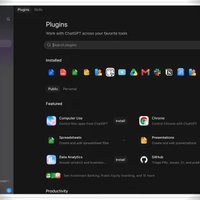
Cindy is designed to support plugins that extend its functionality, interface, and interactions.
The project also maintains a separate repository for official plugins, with a workflow for reviewing and publishing contributions. This creates a foundation for an ecosystem of additional capabilities beyond the core application.
The breadth of the available ecosystem will depend on how quickly the marketplace and community contributions develop. Users should check which plugins are currently available rather than assuming every planned feature is already mature.
Open-Source Client
Cindy's desktop and mobile clients, along with shared packages, are available in a public GitHub repository under the Apache 2.0 license.
The source code can be inspected, modified, and used as the foundation for compatible extensions, subject to the license and applicable third-party terms.
This openness is an advantage for developers who want to understand how an AI agent works, contribute improvements, or customize the application.
However, the backend service is maintained in a separate repository and is not included in the main client repository. Building the client from source does not automatically provide a complete self-hosted replacement for Cindy's official service.
Download Cindy v0.1.115 - Software Mirrors |
|---|
Cindy v0.1.115 for Windows |
Cindy v0.1.115 for macOScindy-0.1.115-darwin-x64-global.dmg | 260.53 MB cindy-0.1.115-darwin-x64-cn.dmg | 260.53 MB |
Cindy v0.1.115 for Linux |
Cindy v0.1.115 Source Code |
Cindy v0.1.115 Release Notes:Desktop release 0.1.115 更新说明🗣️ 群聊里伙伴轮流发言在伙伴群聊里提问后,伙伴会按顺序逐个回答:点名谁就谁先说,没点名就全员排队;长队列可以折叠查看,话题面板也能拖拽调宽。群回复里的组件、图表和生成图片也能正常显示了。 @Liuliuuu0710 @xuzini-xzn @zqchris 💬 私聊消息可以开话题和引用伙伴私聊里的消息现在可以展开成独立话题,带回复数、未读和完整的任务视图;回复时会带上引用,还能选择显示每条回复对应的原消息。手机端长按消息即可回复、复制、选字或分享。 @zqchris 📊 伙伴近况集中显示待办和成果伙伴聊天头部的近况浮层集中展示电脑、待办和成品文件,没有内容的块自动隐藏;手机端也有近况面板,待办可以直接引用到输入框。开始跟进前会先确认范围和额度,重复的邀请提示与确认框也已修复。 @zqchris 🎙️ 阿里云语音与更清楚的超时提示新增通义千问与 CosyVoice 语音,并补齐阿里云与 Gateway 的音色列表和参考音色;语音超时或播放中断时会给出更明确的提示。提问卡的麦克风移到序号前,语音快捷键只作用于当前卡片。 @dashhuang @horizon554 ✨ 新建任务边输入边预热在新建页开始输入就会立刻建出任务并提前启动 Agent,粘贴和语音输入也会触发预热,发送时直接接着用。未发送的任务按账号隔离,切换账号或清理残留都不会串到其他人的草稿。 @dashhuang 🗂️ 归档前提醒会自动化的任务归档绑定了自动化的任务前,会先提示哪些自动化将暂停,确认后再归档,普通任务不受影响。手机批量归档、远程设备上的绑定查询和确认卡也一起修顺了。 @dashhuang 📱 手机端标签、额度条与通知入口手机端的任务选项面板和标签管理改用原生分组列表,返回键、读屏播报和保存中的交互都已补齐。额度条改用与桌面一致的语义颜色并按真实比例绘制,从冷启动通知进入任务也更可靠。 @dashhuang @kirozeng @zqchris 🔌 跨设备直连与 Windows 锁屏服务设备之间优先走直连,直连不可用时自动回退到中继,大结果返回也不会一直等待。Windows 锁屏远程服务补充了安装校验、旧服务清理和权限隔离,升级与授权过程更安全。 @MagicLizi ⚖️ 供应商组按额度换机更可靠供应商组额度不足时会优先切换到组内其他电脑继续执行;换机失败、任务中断或回复落库延迟时,调用和用量都会正确结算,不会重复扣费或丢失结果。 @guyong-zapo 🛡️ 权限、账号与消息显示更准原生审批通过后不再重复弹复审,链接解析出的新路径仍会按真实目标审核;切换或重置账号时,Codex 额度和超级加速权限会跟着账号正确更新。转发消息不再带转义符号,在草稿、搜索和引用里也能正确显示。 @dashhuang @zqchris 🏝️ Agent 岛与其他稳定性修复Agent 岛的完成卡片支持左右滑动收起,操作前会校验卡片来源;浏览器截图、飞书回复位置、折叠子任务历史和微信主人权限等问题一并修复。任务异常退出后能恢复运行状态,技能列表也不再重复。 @MagicLizi @dashhuang @elfcv @xuzini-xzn @zqchris PRs#1911 #6583 #6621 #6651 #6652 #6660 #6664 #6671 #6681 #6685 #6704 #6707 #6708 #6714 #6715 #6721 #6723 #6724 #6725 #6727 #6728 #6731 #6732 #6733 #6737 #6740 #6748 #6750 #6751 #6755 #6765 #6769 #6788 #6791 #6803 #6811 #6817 #6818 #6825 #6828
|
Performance and Compatibility
Cindy is built as a multi-platform application with a desktop client based on Electron and a mobile client based on Expo and React Native. Its shared packages provide functionality for authentication, device connectivity, model providers, and agent orchestration.
The application is actively developed, with frequent changes to agent workflows, integrations, messaging, and cross-device functionality. This ongoing development is encouraging, but users should expect features and interfaces to evolve.
Performance depends on several factors, including the selected model, provider response times, the complexity of a task, the number of concurrent agents, and the tools being used. Running multiple agents can help complete complex tasks in parallel, but it can also increase resource consumption and AI usage.
Cindy offers several ways to use AI capabilities:
Official hosted service: Sign in to use Cindy's hosted features, subject to its account and service terms.
Existing coding plans: Authorize supported Claude Code or Codex coding-plan accounts and use those agents through Cindy.
Own API keys: Connect supported AI providers using personal credentials.
Local models: Use compatible local models where supported by the configured runtime and provider integration.
Local agents without sign-in: Use the Skip Sign-In option to run supported local agents, with server-backed capabilities unavailable in this state.
This range of options is useful for users with different budgets and infrastructure preferences. However, local agent execution should not be confused with complete offline operation, because some features and provider integrations may still require network access.
Cindy's official distribution builds also include usage analytics for aggregate product statistics. According to the project's documentation, these analytics do not collect chat content, file content, or working-directory data. The client also sends a limited online heartbeat while signed in. Developers building from source can disable or remove the documented analytics implementation.
Users who handle confidential information should review the privacy documentation, provider policies, and connected-service permissions before adopting Cindy for sensitive work.
System Requirements
Cindy's development prerequisites include:
Node.js 22.12 or later.
pnpm 10.7 or later, with pnpm 11 not yet supported by the documented setup.
Git and Git LFS for retrieving the source repository and required files.
A supported desktop or mobile development environment.
An authenticated AI provider or compatible local agent configuration for the desired workflow.
The desktop client is based on Electron, while the mobile client uses Expo and React Native. Building the full application from source requires following the repository's development instructions and installing the relevant platform tooling.
Users who only want to use Cindy should download the appropriate official release rather than building it from source. Check the current installation documentation for supported operating systems and platform-specific requirements.
Pros and Cons
Pros
Open-source client licensed under Apache 2.0.
Combines multiple AI models and coding agents in one application.
Supports Claude Code and Codex integration.
Provides persistent memory and reusable skills.
Supports parallel agent workflows and task coordination.
Includes automation and scheduled tasks.
Offers browser and computer interaction capabilities.
Supports MCP integrations and extensibility through plugins.
Provides desktop and mobile applications.
Allows users to connect supported providers, API keys, and local models.
Active development with frequent releases.
Cons
The backend service is separate, so the open-source client is not a complete self-hosted solution.
Some capabilities require a Cindy account and access to its hosted service.
Using external AI providers may incur separate usage costs.
Local-agent mode does not include server-backed capabilities.
The project is evolving, so some features and integrations may change or remain incomplete.
Multiple agents and automated tasks require careful permission management and supervision.
Official distribution builds include usage analytics, although the project documents ways to disable them when building from source.
Privacy and data handling depend partly on the selected provider and connected services.
How to Install
Visit the official Cindy website or GitHub repository.
Download the official desktop application for your operating system, or select the appropriate mobile app where available.
Install and launch the application.
Sign in to the official Cindy service if you want its hosted capabilities.
Alternatively, choose Skip Sign-In to use supported local agents without a Cindy account.
Configure a supported coding agent, AI provider, API key, or local model.
Open a project or start a task, then configure the required tools and permissions.
Explore memory, skills, MCP integrations, and scheduled automation as needed.
Developers who want to build Cindy from source can clone the repository, retrieve its Git LFS files, and install the dependencies with pnpm. The official contributing guide explains the required development setup and the commands for launching desktop or mobile development builds.
For security, avoid committing API keys, authorization files, or other credentials to the repository. Review permissions before connecting external tools or allowing scheduled tasks to run unattended.
Final Verdict
Cindy is an ambitious open-source AI agent that aims to bring coding, automation, persistent memory, and cross-device workflows together in one application. Its support for multiple AI providers, Claude Code and Codex, reusable skills, MCP integrations, and agent coordination makes it more flexible than a conventional AI chat interface.
Its strongest advantage is the ability to build a continuous workflow around different models and tools instead of treating every task as an isolated conversation. Developers can use Cindy for coding, while power users can explore broader automation and computer-interaction capabilities.
The main limitation is the distinction between its open-source client and the separate hosted backend. Users who want complete self-hosting or offline operation should carefully evaluate which capabilities actually work without Cindy's services or external providers.
Cindy is worth trying for developers and technically inclined users who want an extensible AI assistant and are comfortable configuring providers, permissions, and integrations. Its long-term value will depend on the maturity of its automation features, plugin ecosystem, and cross-platform experience.