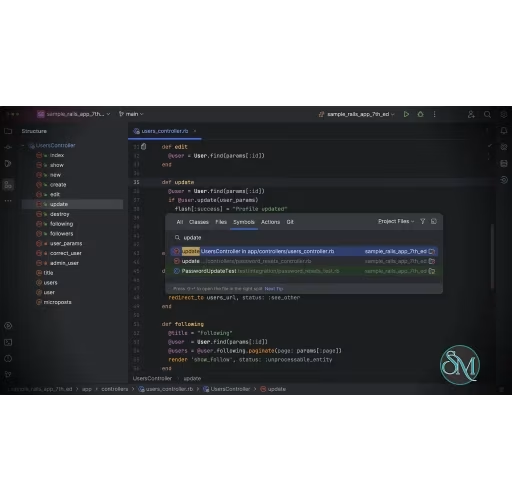



RubyMine is integrated development environment (IDE) built specifically for Ruby and Ruby on Rails development. It combines intelligent code assistance, powerful debugging tools, seamless framework integration, and advanced productivity features into a single application, making it one of the most complete IDEs for Ruby developers.
Like other modern JetBrains IDEs, RubyMine is now available as a single unified product, providing a consistent installation and user experience while unlocking additional capabilities through licensing.
RubyMine is designed to streamline the entire development workflow, from writing code and running tests to debugging applications and managing databases. It supports Ruby, Ruby on Rails, JavaScript, TypeScript, HTML, CSS, SQL, YAML, and other technologies commonly used in modern web development.
The IDE also integrates with popular build tools, version control systems, Docker, and cloud services, allowing developers to manage projects without constantly switching between applications.
Download RubyMine 2026.2.3 - Software Mirrors |
|---|
RubyMine 2026.2.3 for WindowsRubyMine-2026.2.3.exe | 777.74 MB |
RubyMine 2026.2.3 for Mac |
RubyMine 2026.2.3 for Linux |
Others Download related to RubyMine 2026.2.3 |
RubyMine 2026.2.3 Release Notes:RubyMine 2026.2.3 Is Out!Fixes and improvements:
For the full list of closed issues, refer to the release notes. |
Key Features of RubyMine
Intelligent Code Completion
RubyMine understands Ruby syntax, project structure, and framework conventions to provide accurate code completion, automatic imports, documentation, and real-time error detection.
Ruby on Rails Support
The IDE includes deep support for Ruby on Rails, making it easier to navigate models, controllers, views, routes, migrations, and generators. Framework-aware features help developers work more efficiently while reducing manual configuration.
Advanced Refactoring
RubyMine offers safe refactoring tools for renaming classes, extracting methods, moving files, reorganizing code, and updating project references automatically.
Integrated Debugger
Developers can inspect variables, set breakpoints, evaluate expressions, monitor call stacks, and debug applications directly within the IDE.
Testing Tools
RubyMine supports popular Ruby testing frameworks such as RSpec, Minitest, and Cucumber. Tests can be executed individually or as part of larger test suites with integrated reporting.
Database Integration
Built-in database tools allow developers to connect to multiple database systems, browse schemas, execute SQL queries, and inspect data without leaving the IDE.
Docker and Remote Development
RubyMine includes support for Docker, Docker Compose, SSH interpreters, and remote development environments, making it easier to work with containerized applications.
Version Control Support
Git integration is deeply embedded, allowing developers to manage branches, review commits, resolve merge conflicts, and collaborate with GitHub, GitLab, Bitbucket, and other Git hosting platforms.
AI-Assisted Development
RubyMine integrates with JetBrains AI features to help generate code, explain unfamiliar sections, improve documentation, and assist with refactoring and troubleshooting.
Performance and User Experience
RubyMine provides a polished development experience with fast navigation, intelligent indexing, and powerful search capabilities. The interface follows the familiar JetBrains design language, making it easy to transition from other JetBrains IDEs.
Because the IDE performs continuous code analysis and indexing, large projects can consume noticeable system resources. However, the productivity gains typically outweigh the additional memory and CPU usage, especially for professional development.
Pros
Excellent Ruby and Ruby on Rails support.
Intelligent code completion and navigation.
Powerful debugging and refactoring tools.
Integrated testing environment.
Built-in database management.
Docker and remote development support.
Deep Git integration.
AI-assisted coding features.
Available for Windows, macOS, and Linux.
Cons
Higher resource usage than lightweight code editors.
Initial indexing may take time for large projects.
Some advanced features require a paid subscription.
Primarily focused on Ruby development rather than multiple programming ecosystems.
Who Should Use RubyMine?
RubyMine is ideal for Ruby developers, Ruby on Rails engineers, web application developers, startups, and enterprise teams building Ruby-based applications. It is particularly valuable for developers who spend most of their time working with Rails projects and want an IDE that understands the framework deeply.
Developers who only make occasional Ruby edits may find a lightweight editor sufficient, but those building production applications will benefit from RubyMine's productivity features.
Final Verdict
RubyMine remains one of the best IDEs available for Ruby and Ruby on Rails development. Its intelligent coding assistance, framework awareness, integrated testing tools, database support, and modern development features make it an excellent choice for both individual developers and professional teams.
While it requires more system resources than a basic code editor, the improvements in productivity, code quality, and workflow efficiency make RubyMine well worth considering for serious Ruby development.