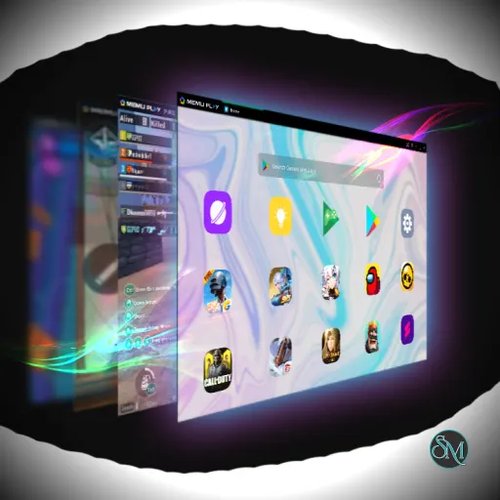



MEmu is a popular Android emulator for Windows that allows users to run Android apps and games directly on a desktop or laptop. It is widely known for its strong performance, smooth gameplay, and broad compatibility with Android applications. MEmu is designed for gamers, developers, and productivity users who want a reliable and flexible Android experience on a larger screen.
MEmu is an Android virtualization platform that creates a full Android environment on Windows systems. It supports multiple Android versions and provides hardware acceleration for better speed and stability. With MEmu, users can install apps from Google Play or APK files and use them with keyboard and mouse controls.
The emulator is especially popular among mobile gamers because of its frame rate optimization and customizable control mapping.
Key Features of MEmu
High Performance Gaming
MEmu is optimized for smooth gameplay and supports high frame rates. It performs well on both mid range and high end computers, making it suitable for demanding mobile games.
Multiple Android Versions
Users can choose different Android system versions to match app requirements. This flexibility improves compatibility with older and newer applications.
Keyboard and Mouse Mapping
MEmu allows full customization of controls. Gamers can map touch actions to keyboard keys or mouse buttons for precise control and faster response.
Multi Instance Manager
The multi instance feature lets users run multiple Android instances at the same time. This is useful for managing multiple accounts, testing apps, or playing several games simultaneously.
App and File Sharing
Files can be easily shared between Windows and the Android environment. This makes it simple to transfer screenshots, videos, or documents.
Gamepad Support
MEmu supports external controllers, providing a console like experience for supported games.
High Resolution Display
Users can adjust resolution and DPI settings to achieve better visual quality and a more immersive experience.
Easy App Installation
Apps can be installed directly from Google Play or by dragging APK files into the emulator window.
Benefits of Using MEmu
Enhanced Gaming Experience
Larger screen, stable performance, and custom controls make mobile games more enjoyable.
Productivity on Desktop
Android messaging apps, social media tools, and utility apps can be used efficiently with keyboard input.
Suitable for Testing and Development
Developers can test apps across different Android versions without needing multiple physical devices.
Flexible and User Friendly
The interface is easy to navigate, making it accessible for beginners and advanced users alike.
MEmu Android Emulator is a powerful and versatile solution for running Android apps and games on Windows. With its strong performance, flexible configuration options, and gamer focused features, it delivers a smooth and reliable Android experience. For users looking for a fast and feature rich Android emulator, MEmu remains one of the best choices available.