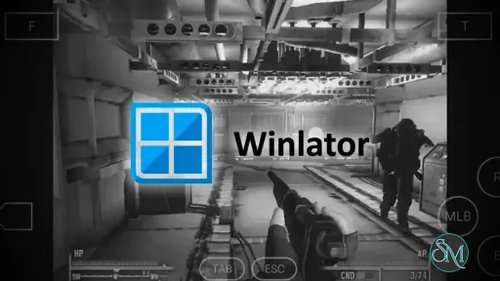
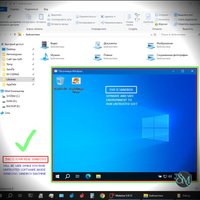

Winlator is one of the more interesting Android applications for users who want to run Windows applications and games directly on an Android device. Instead of simply emulating an entire Windows computer, Winlator combines Wine with Box86 and Box64 to provide a compatibility layer for Windows x86 and x86_64 software.
The main attraction is gaming. With the right Android phone, Winlator can run a surprisingly wide range of Windows games that were never designed for mobile devices. Performance depends heavily on the phone's processor, GPU, graphics driver, the game itself, and the configuration used.
Setting up a game is not always as simple as installing an Android game from an app store. Winlator uses containers where users can configure things such as the Windows environment, Box64 settings, graphics drivers, and DirectX wrappers. This flexibility is useful for experienced users, but beginners may need some trial and error before finding the right configuration.
One of Winlator's strengths is how much control it gives users. Different games can have their own shortcuts and settings, making it possible to optimize individual titles instead of using one configuration for everything. The project also includes support for technologies such as DXVK, VKD3D, Mesa, Turnip, and other components that help translate Windows graphics workloads to Android hardware.
Performance can be impressive on compatible hardware. Recent versions have continued improving Box64, graphics drivers, input controls, and performance. Winlator 11.0, for example, introduced experimental Gladio support, HUD Mode, improved graphics driver selection, updated Box64 and Mesa components, and additional performance improvements.
However, Winlator is not a magic solution for every Windows game. Compatibility varies considerably, and demanding modern games may still perform poorly or fail to start. Some titles also require specific settings or compatibility tweaks. Users should expect some experimentation rather than assuming every Windows application will work immediately.
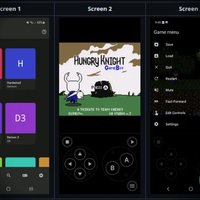
Controls are another consideration. Windows games designed for a keyboard and mouse do not always translate naturally to a touchscreen. Winlator's input controls help address this, and a Bluetooth controller can make the experience considerably better for supported games.
The biggest limitation is hardware dependency. A powerful Android phone with a capable GPU can provide a much better experience than an entry-level device. Graphics driver support is also important, so two phones with similar specifications may produce very different results.
Overall, Winlator is an impressive project for Android users who want to experiment with Windows software and PC gaming on a phone. It requires more patience than a conventional Android gaming application, but that extra complexity is what gives it much of its flexibility.
Download Winlator APK v11.2.0 - Software Mirrors |
|---|
Winlator APK v11.2.0 Release Notes:v11.2 (Latest)- Added an option to save memory on run games from Steam - Improved the presentation of rendered images - Implemented XInput extension for raw input - Implemented an option to run Winlator as foreground service (by @Juan-Antonio-Doe) - Updated Mesa Turnip (v26.2.0 from @whitebelyash branch) v11.2 (Beta) - Fixed gamepad input lag - Added Box64 v0.4.4 (release) - Improved Vortek: └─ Improved texture decoding (it was not handling mipmaps correctly) └─ Some improvements were added for the Xclipse GPU - Improved Gladio: └─ Added a better way to handle active textures └─ Improved the OpenGL 1.X emulation (Half-Life is now rendering correctly) └─ Improved ARB vertex/fragment programs (Digimon Story Cyber Sleuth makes heavy use of them and is now rendering correctly) └─ Added fixes for shader compilation on the Xclipse GPU |
Pros
Runs many Windows x86 and x86_64 applications on Android
Excellent potential for Windows gaming
Extensive configuration options
Supports Box86 and Box64
Supports graphics technologies such as DXVK and VKD3D
Active development with frequent improvements
Cons
Compatibility varies between games
Configuration can be complicated for beginners
Performance depends heavily on Android hardware
Some games require extensive tweaking
Touch controls are not ideal for every PC game
Final Verdict
Winlator is one of the most capable options for running Windows games and applications on Android. Its combination of Wine, Box86, Box64, graphics drivers, and configurable containers gives experienced users plenty of room to optimize their games. It is not perfect, and compatibility still depends heavily on both software and hardware, but when everything comes together, the results can be surprisingly good.
For Android users interested in PC gaming experimentation, Winlator is definitely worth trying.