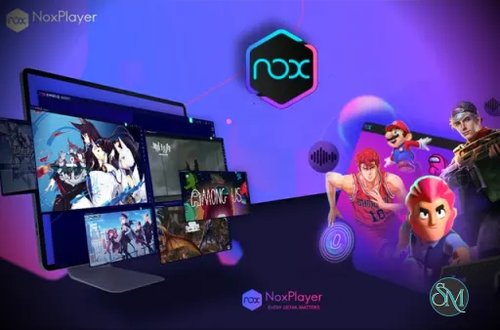


NoxPlayer is a desktop Android emulator that simulates an Android environment on a computer. It enables users to install and run Android games and apps as if they were using a real mobile device. NoxPlayer is widely known for its gaming focused features, flexible controls, and optimization options.
The emulator supports multiple Android versions and is suitable for both casual users and advanced gamers who require performance tuning.
Download NoxPlayer 7.0.6.2 |
|---|
Windows Full (Official Link) | Direct Link |
Mac Full (Official Link) | Direct Link |
Windows 64bit | Direct Link |
Windows 64bit Android 9 | Direct Link |
Windows 64bit Android 12 Beta | Direct Link |
Key Features of NoxPlayer
Smooth Gaming Performance
NoxPlayer is optimized to deliver stable frame rates and responsive gameplay. It uses hardware acceleration to ensure games run smoothly even on mid range systems.
Keyboard and Mouse Mapping
Users can map keyboard keys and mouse actions to touch controls. This feature gives a competitive advantage in action, shooter, and strategy games.
Gamepad Controller Support
The emulator supports external controllers, allowing console style gameplay for compatible games.
Multi Instance Manager
NoxPlayer allows users to run multiple Android instances at the same time. This is useful for managing multiple game accounts or testing apps in parallel.
Custom Performance Settings
Users can adjust CPU allocation, memory usage, resolution, and graphics rendering mode. These settings help balance performance and system resource usage.
Script Recording
The built in macro recorder lets users automate repetitive tasks such as grinding, farming, or daily quests in games.
App Compatibility
NoxPlayer supports a wide range of Android apps and games from Google Play and third party sources.
Root Access Option
Advanced users can enable root mode for app testing, development, or deeper system customization.
Benefits of Using NoxPlayer
Better Control Than Mobile
Playing games with a keyboard and mouse provides higher accuracy and comfort compared to touch screens.
Larger Display Experience
Games and apps appear clearer and more immersive on a computer monitor.
Efficient Multitasking
Users can switch between games, apps, and desktop programs without interruptions.
Useful for Developers
Developers can test Android apps across different configurations without needing multiple physical devices.
Free to Use
NoxPlayer is available at no cost, making it accessible to a wide range of users.
NoxPlayer is a reliable and feature rich Android emulator that delivers smooth gameplay and strong customization options. With support for keyboard mapping, controller input, multi instance management, and performance tuning, it stands out as a top choice for gamers and power users. For anyone looking to enjoy Android games and apps on a desktop system, NoxPlayer offers a balanced and dependable solution.
NoxPlayer is a stable and high performance Android emulator designed for gamers, developers, and users who want to run Android apps on Windows or macOS. It allows users to enjoy mobile games and applications on a larger screen with keyboard, mouse, and controller support. This version focuses on improved compatibility, smoother performance, and better system stability.