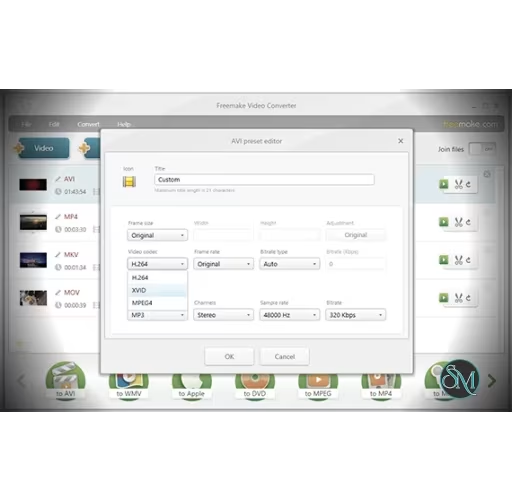


Freemake Video Converter is a desktop application for Windows that allows users to convert videos, audio files, DVDs, and images to a variety of formats. The software is known for its user friendly interface and broad compatibility with media formats. Users can prepare files for playback on phones, tablets, media players, game consoles, or upload to online platforms.
In addition to conversion, Freemake Video Converter offers basic editing features, batch processing, and preset profiles that simplify common tasks.
Key Features of Freemake Video Converter
Wide Format Support
Freemake Video Converter supports many popular formats such as MP4, AVI, MKV, MOV, WMV, FLV, MP3, and more. This ensures compatibility with almost any device or media player.
High Speed Conversion
The software is optimized for fast conversion by using hardware acceleration when available. This helps reduce processing time for large files.
Device Presets
Built in presets make it easy to convert videos for specific devices such as iPhones, Android phones, tablets, smart TVs, and gaming consoles.
Basic Editing Tools
Users can trim, rotate, crop, or merge video clips before converting. These tools help prepare media for final use.
Audio Extraction
Freemake Video Converter can extract audio tracks from video files and save them in popular audio formats such as MP3.
Batch Processing
The software allows users to convert multiple files at once. This is useful for handling large media collections efficiently.
Simple and Clear Interface
Freemake Video Converter is designed for ease of use. Its intuitive layout makes it suitable for users with basic technical skills.
Subtitle Support
Users can add external subtitle files and include them in the converted video.
Benefits of Using Freemake Video Converter
Saves Time and Effort
Fast conversion and batch support help users complete tasks quickly.
Beginner Friendly
The simple interface allows users to start converting files with minimal setup.
Flexible Format Choice
Support for a wide range of input and output formats provides versatility for different projects.
Integrated Editing Tools
Basic editing features reduce the need for separate software.
Suitable for Multiple Use Cases
From personal media management to preparing content for playback on varied devices, the software adapts to different needs.
Freemake Video Converter is a reliable and user friendly tool for converting and preparing video and audio files. Its broad format support, batch processing, and basic editing features make it a versatile solution for many media tasks. For users who want a simple yet capable video converter for Windows, Freemake Video Converter continues to be a solid option.
Freemake Video Converter is a popular multimedia tool designed to help users convert video files between different formats quickly and efficiently. It offers broad format support, simple controls, and useful additional features such as basic editing, audio extraction, and device presets. This makes Freemake Video Converter an appealing choice for users who need reliable video processing without a steep learning curve.