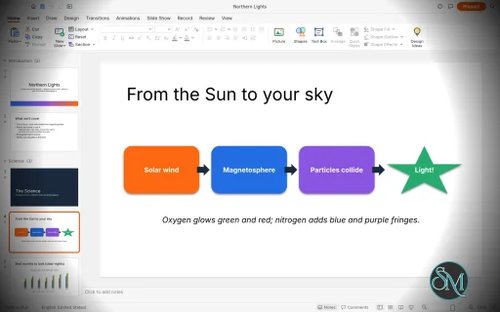
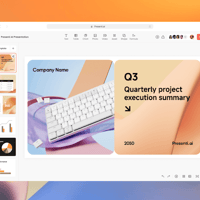
DeckCraft is a free, open-source presentation application designed as an alternative to Microsoft PowerPoint. Written entirely in Rust, it allows users to create slide decks, edit PowerPoint files, add animations, and present slideshows across desktop operating systems and modern web browsers.
Developed as part of the ArtCraft collection of creative applications, DeckCraft combines a graphical presentation editor with command-line tools and AI agent integration. This makes it interesting not only for people creating presentations manually but also for developers who want to automate slide creation.
Although DeckCraft already offers an extensive set of presentation features, it remains in early development. Users looking for a dependable replacement for PowerPoint should consider its development status and verify that their existing presentations work correctly.
Features
Presentation Creation and Themes
DeckCraft provides tools for building presentations with slide masters, layouts, placeholders, and customizable slide dimensions. Users can organize slides into sections, add notes and comments, and apply themes with coordinated color and font schemes.
These features make it suitable for creating business presentations, educational materials, and visual slide decks without relying on proprietary presentation software.
Shapes and Drawing Tools
The application includes more than 150 preset shapes, connectors, curves, freeform drawing, and shape-merging operations. Users can customize outlines, gradients, picture fills, shadows, glow effects, and other visual properties.
These tools provide flexibility when creating diagrams, illustrations, flowcharts, and other visual elements directly within a presentation.
Text, Tables, and Charts
DeckCraft supports in-place text editing, paragraph formatting, bullets, numbering, columns, hyperlinks, and vertical text. It also includes tables, charts, and basic SmartArt functionality.
These capabilities cover many common presentation tasks, although compatibility with complex formatting imported from Microsoft PowerPoint should be tested before using the application for important documents.
Animations and Slide Transitions
Users can add slide transitions, including Morph, alongside entrance, emphasis, and exit animations. Motion paths and paragraph-based animation builds are also supported.
DeckCraft includes a full-screen slideshow mode, presenter view, presentation timing tools, and media playback. This makes it useful for presentations that require more than static slides.
PowerPoint File Compatibility
DeckCraft can open and save PowerPoint PPTX files. It also supports exporting presentations to PDF, PNG, JPEG, and outline formats.
PDF exports include options for slides, notes pages, and handouts with selectable text. An AutoRecover feature helps preserve unsaved work.
However, file-format support does not guarantee perfect compatibility with every PowerPoint feature. Complex presentations should be checked after importing and exporting.
Command-Line and AI Automation
One of DeckCraft's most distinctive features is its command-driven architecture. The application exposes more than 200 commands that can be used through its CLI, a JSON control channel, and a Model Context Protocol (MCP) server.
This enables scripts and compatible AI agents to create slides, modify presentation content, and automate repetitive tasks. Developers can also use the CLI to render sample presentations and perform operations without manually interacting with the graphical interface.
For users who regularly generate reports, product presentations, or other structured slide decks, this automation capability could be particularly valuable.
Cross-Platform Availability
DeckCraft is designed for Windows, macOS, Linux, FreeBSD, and modern web browsers. Prebuilt packages are available for supported platforms, including Windows installers, macOS disk images, Linux AppImages, Debian packages, RPM packages, and browser-based builds.
Its Rust-based implementation and cross-platform distribution make it an interesting option for users who want presentation software beyond the Microsoft ecosystem.
Download DeckCraft v0.4.0 - Software Mirrors |
|---|
DeckCraft v0.4.0 for Windowsdeckcraft-0.4.0-windows-x86.msi | 55.24 MB deckcraft-0.4.0-windows-x86-portable.zip | 69.06 MB deckcraft-0.4.0-windows-x64.msi | 55.76 MB deckcraft-0.4.0-windows-x64-portable.zip | 70.32 MB |
DeckCraft v0.4.0 for macOS |
DeckCraft v0.4.0 for Linuxdeckcraft-0.4.0-linux-x86_64.tar.gz | 71 MB deckcraft-0.4.0-linux-x86_64.rpm | 71.65 MB deckcraft-0.4.0-linux-x86_64.flatpak | 50.08 MB deckcraft-0.4.0-linux-x86_64.deb | 71.94 MB deckcraft-0.4.0-linux-x86_64.AppImage.zsync | 235.48 kB deckcraft-0.4.0-linux-x86_64.AppImage | 67.21 MB deckcraft-0.4.0-linux-aarch64.tar.gz | 69.04 MB deckcraft-0.4.0-linux-aarch64.rpm | 70.11 MB deckcraft-0.4.0-linux-aarch64.flatpak | 47.99 MB deckcraft-0.4.0-linux-aarch64.deb | 70.47 MB |
DeckCraft v0.4.0 for BSD |
Others Download related to DeckCraft v0.4.0 |
DeckCraft v0.4.0 Source Code |
DeckCraft v0.4.0 Release Notes:What's Changed
New Contributors
Full Changelog: v0.3.0...v0.4.0 |
Performance and Compatibility
DeckCraft is built with Rust and supports native desktop applications as well as browser-based use. Its architecture also separates presentation commands from the graphical interface, enabling headless automation and scripted workflows.
However, programming language alone does not establish real-world performance. Responsiveness will depend on the presentation's complexity, media content, hardware, and implementation maturity.
The most important limitation is that DeckCraft remains in early development. Although its feature list is extensive, its developers are still working toward the first alpha release. Some features may behave differently from PowerPoint, and compatibility with complicated existing presentations may be incomplete.
Users should test important PPTX files, animations, embedded media, and exported documents before adopting DeckCraft for professional presentations.
System Requirements
DeckCraft supports the following platforms:
Windows: 32-bit and 64-bit x86 systems, plus ARM64 devices where supported by the available builds.
macOS: Apple Silicon and Intel Macs through a universal application build.
Linux: x86-64 and ARM64 packages, depending on the distribution format.
FreeBSD: x86-64 builds.
Web: Modern browsers that support its browser-based application.
Running a prebuilt package is generally the simplest installation method. Building from source requires Rust development tooling, Cargo, Git, and the project's other build dependencies.
Linux developers compiling the application also need the appropriate ALSA development headers for slideshow audio support. The exact requirements depend on the operating system and whether users install a prebuilt package or compile the project themselves.
Pros and Cons
Pros
Free and open-source presentation software.
Supports opening and saving PowerPoint PPTX files.
Includes themes, layouts, shapes, charts, tables, and animations.
Offers slideshow and presenter-view functionality.
Exports presentations to PDF and image formats.
Provides CLI commands and MCP integration for AI-assisted automation.
Supports Windows, macOS, Linux, FreeBSD, and web browsers.
Available under the MIT or Apache-2.0 license.
Cons
Still in early development, with potential stability issues.
PowerPoint compatibility may be incomplete for complex presentations.
Some advanced presentation features may not behave identically to Microsoft PowerPoint.
Users may encounter rendering differences when importing existing files.
Building from source requires development tools and additional dependencies.
How to Install
Option 1: Download a Prebuilt Package
Visit the official DeckCraft GitHub repository.
Open the Releases section.
Download the package for your operating system and processor architecture.
Install or extract the downloaded package according to its format.
Launch DeckCraft and create a new presentation or open an existing PPTX file.
On Linux, available formats include AppImage, Flatpak, DEB, RPM, and compressed tar archives. Choose the format that best matches your distribution and installation preferences.
Option 2: Build from Source
Users who prefer compiling the application can build it with Rust and Cargo.
First, clone the repository:
git clone https://github.com/storytold/deckcraft
Enter the project directory:
cd deckcraft
Then run the documented command to build the CLI and render the included sample presentations:
cargo run --release -p deckcraft-cli -- render --sample --all --scale 1 out/
This command is useful for verifying the rendering workflow, but it is not the same as launching the graphical presentation editor.
Additional dependencies may be required, particularly on Linux. Consult the repository's build documentation for instructions specific to your platform.
Final Verdict
DeckCraft is an ambitious open-source PowerPoint alternative with an unusually broad feature set for a project still in early development. Its combination of presentation editing, PPTX support, animations, cross-platform distribution, and AI-driven automation makes it appealing to developers, open-source enthusiasts, and users looking for alternatives to proprietary office software.
The command-line interface and MCP integration are particularly noteworthy because they allow presentations to be generated and modified programmatically. This could make DeckCraft useful for automated reports and other workflows where presentations are produced repeatedly.
Its main weakness is maturity. A large feature list does not guarantee complete compatibility, reliability, or a polished experience across every platform. Users who depend on complex PowerPoint files should test their workflows before making the switch.
Overall, DeckCraft is worth watching and experimenting with, especially for users interested in open-source presentation tools and AI automation. However, its early development status makes it difficult to recommend as a complete replacement for Microsoft PowerPoint in critical production workflows.