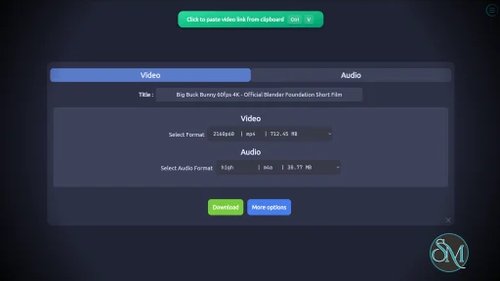
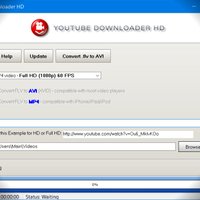
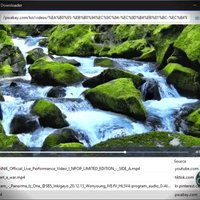

ytDownloader is a free and open source desktop application that provides a modern graphical interface for the powerful yt-dlp download engine. Instead of relying on command-line tools, it lets users download videos, audio, playlists, subtitles, and more from hundreds of supported websites through an intuitive interface. Available for Windows, macOS, and Linux, it is an excellent choice for users who want the power of yt-dlp without memorizing terminal commands.
While yt-dlp is widely regarded as one of the most capable media download tools available, many users find its command-line interface intimidating. ytDownloader bridges that gap by wrapping yt-dlp in a clean, feature-rich desktop application.
The software also bundles additional capabilities such as video compression, playlist downloading, subtitle support, and hardware-accelerated encoding, making it more than just a simple downloader.
Key Features of ytDownloader
Support for Hundreds of Websites
ytDownloader supports downloads from YouTube as well as hundreds of other services supported by yt-dlp, including Facebook, Instagram, TikTok, Twitch, Vimeo, X, and many more. Compatibility continues to improve as the underlying yt-dlp engine receives updates.
High-Quality Video and Audio Downloads
Users can choose from available video and audio formats, resolutions, and codecs before downloading. The application also supports extracting audio into popular formats for music or podcast collections.
Playlist Downloading
Entire playlists can be downloaded with a single operation, eliminating the need to manually process each video individually.
Subtitle Support
ytDownloader allows users to download subtitles alongside videos, making it useful for educational content and offline viewing.
Built-In Video Compression
A unique feature compared to many other yt-dlp front ends is the integrated video compressor with hardware acceleration, allowing users to reduce file sizes after downloading.
Modern User Interface
The interface is clean, responsive, and supports multiple themes and languages. Users can configure download locations, customize preferences, and manage downloads without navigating complex command options.
Download ytDownloader v4.0.1 - Software Mirrors |
|---|
ytDownloader v4.0.1 for WindowsYTDownloader_Win.exe | 110.05 MB |
ytDownloader v4.0.1 for macOSYTDownloader_Mac_arm64.dmg | 128.9 MB YTDownloader_Mac_arm64.zip | 128.9 MB |
ytDownloader v4.0.1 for LinuxYTDownloader_Linux.AppImage | 158.14 MB YTDownloader_Linux.deb | 131.54 MB |
ytDownloader v4.0.1 Release Notes:Changelog v4.0.1
Changelog v4.0.0General
Homepage
Playlist page
Compressor page
Preferences page
|
Performance and User Experience
Because ytDownloader relies on yt-dlp, download performance is generally excellent and frequently benefits from updates to the underlying engine. The graphical interface removes much of the complexity while preserving access to advanced options when needed.
The application is actively maintained, and regular updates help maintain compatibility as supported websites change their delivery methods.
Pros
Free and open source.
Modern graphical interface.
Supports hundreds of video and media websites.
Built on the reliable yt-dlp engine.
Playlist and subtitle downloading.
Built-in video compression.
Cross-platform support for Windows, macOS, and Linux.
No advertisements or trackers.
Cons
Download reliability depends on how quickly yt-dlp adapts to website changes.
Some advanced yt-dlp options are still easier to access from the command line.
Electron-based interface consumes more memory than native desktop applications.
macOS installation requires additional steps because the application is not code signed.
Who Should Use ytDownloader?
ytDownloader is ideal for users who want the capabilities of yt-dlp without using the terminal. It is well suited for students, content creators, researchers, educators, and anyone who regularly downloads videos or audio for offline viewing.
Power users who already know yt-dlp may still prefer the command line for scripting and automation, but many will appreciate ytDownloader as a convenient desktop interface.
Final Verdict
ytDownloader successfully combines the power of yt-dlp with a polished graphical interface. Its broad website support, playlist downloading, subtitle handling, video compression, and cross-platform availability make it one of the best open source download managers for online media.
For users looking for an easy-to-use alternative to command-line download tools, ytDownloader delivers an excellent balance of simplicity and functionality.