

WinRAR is a file archiver for Windows that supports the creation and extraction of compressed archive files. It is best known for its native RAR and RAR5 formats, while also offering full support for popular formats such as ZIP, 7Z, TAR, GZ, and ISO.
The software is commonly used to reduce file size, bundle multiple files into a single archive, protect data with encryption, and share files more efficiently.
Key Features of WinRAR
High Compression Efficiency
WinRAR delivers strong compression ratios, particularly when using the RAR and RAR5 formats. This helps reduce storage usage and speeds up file transfers, especially for large datasets.
Broad Format Support
WinRAR can create and extract many archive formats, including RAR, ZIP, and 7Z. It also extracts formats such as TAR, ISO, CAB, ARJ, and more, making it a versatile all-in-one archiving solution.
Strong Encryption and Security
The software supports AES-256 bit encryption for archive files, allowing users to protect sensitive data with passwords. Encrypted archives help prevent unauthorized access during storage or file sharing.
File Repair and Recovery
WinRAR includes built-in tools to repair damaged archives and recover data from partially corrupted files. This feature is especially useful when dealing with incomplete downloads or storage errors.
Archive Splitting
Users can split large archives into smaller parts, making it easier to store files on removable media or upload them to platforms with size limits.
User-Friendly Interface
WinRAR offers a clean and familiar interface with both graphical and command-line support. It integrates seamlessly with the Windows context menu, allowing quick compression and extraction actions.
Performance and System Requirements
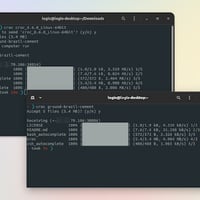
WinRAR is lightweight and runs efficiently on most Windows systems. It requires minimal system resources and performs reliably even on older hardware. Versions are also available for other platforms, such as Linux and macOS, through command-line or alternative builds.
Pros and Cons of WinRAR
Advantages
Excellent compression performance
Wide support for archive formats
Strong encryption and security features
Archive repair and recovery tools
Lightweight and stable software
Limitations
User interface design feels outdated
Free trial reminders can be intrusive
Fewer advanced automation features compared to some competitors
Who Should Use WinRAR?
WinRAR is suitable for a wide range of users, including:
General users who need reliable file compression
Professionals managing large or sensitive archives
IT administrators handling backups and file distribution
Users who value stability and long-term compatibility
Those looking for a modern interface or fully free software may consider alternatives, but WinRAR remains highly dependable.
WinRAR vs Other Archivers
Compared to other archiving tools, WinRAR stands out for its compression efficiency, archive repair capability, and long-term support. While some competitors offer newer interfaces or open-source licensing, WinRAR’s reliability and feature set continue to make it a popular choice.
Final Verdict
WinRAR remains a powerful and trusted file compression tool after decades of use. Its strong encryption, broad format support, and archive recovery features make it a valuable utility for both everyday tasks and professional workflows.
WinRAR is one of the most widely used file compression and archiving tools in the world. Developed by RARLAB, it enables users to compress, extract, encrypt, and manage archive files efficiently. Known for its stability, strong compression algorithms, and long-term reliability, WinRAR remains a standard utility for both personal and professional use.