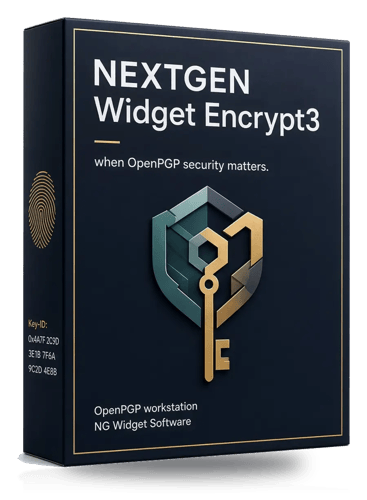


NEXTGEN Widget Encrypt3 is a Windows desktop OpenPGP workstation designed for users who need more than basic file encryption. It combines encryption, digital signatures, key generation, key management, an encrypted vault, Windows Explorer integration, and bulk key operations in a single application.
The software is aimed particularly at consultants, small offices, and operators who need to manage their own OpenPGP keys and encrypted data locally. Its focus on key lifecycle management makes it more suitable for structured encryption workflows than simple password-based file encryption utilities.
Features
NEXTGEN Widget Encrypt3 provides a broad set of OpenPGP tools:
RSA, DSA/ElGamal, ECDSA/ECDH, Ed25519/X25519 key generation
Multiple hash, cipher and compression options
Key expiration management
Password generation
Public and private key import and export
ASCII armored and binary key formats
Key revocation
Key properties and QR-code display
Bulk key import from CSV, ASC, PGP, GPG and ZIP files
Duplicate, expired, revoked and weak-algorithm checks during bulk import
Key groups and notes
File encryption and decryption
File signing and encryption
Signature verification
Folder encryption and decryption
Optional recursive folder processing
Text encryption and decryption
Clear-text signing
Clipboard encryption and decryption
Windows Explorer right-click integration
Watch-folder processing
Recipient groups
Recovery copies encrypted to a second recipient
Command-line integration
Encrypted vault for keys, passwords and settings
Failed-login and idle locking
Secondary administrator
Audit log
Key expiration dashboard
Vault backup and restore
Keyserver and Web Key Directory lookup
Signed Windows build
Built-in update checking
The encrypted vault is particularly useful for users managing multiple keys. Rather than treating OpenPGP as a single-purpose encrypt/decrypt operation, Encrypt3 provides a centralized environment for storing keys and managing their lifecycle.
Performance and Compatibility
Encrypt3 is built around OpenPGP and uses Bouncy Castle as its cryptographic foundation. It operates locally on Windows, making it suitable for environments where encrypted data should remain under the user's control.
Windows Explorer integration is a useful addition for everyday workflows. Files can be encrypted or decrypted directly from the Explorer context menu instead of requiring users to manually open the application.
The watch-folder feature can also automate incoming-file processing, while recipient groups and bulk key management make the software more practical for organizations handling multiple recipients.
The software supports both individual files and folders, although the vendor notes that very large files can take considerable time to process and may temporarily make the application or Windows appear unresponsive.
One important limitation is platform support. Encrypt3 is specifically designed for Windows and does not provide native macOS or Linux applications.
Another consideration is that Encrypt3 is proprietary software rather than open source. This means users cannot independently inspect its complete implementation, despite the vendor's stated security and audit claims.
System Requirements
NEXTGEN Widget Encrypt3 is designed for Windows desktop systems.
The vendor's documentation also lists Microsoft .NET Framework 4.8 as a system requirement.
The application is distributed as a Windows installer/trial package and includes its own local help documentation.
Pros and Cons
Pros
Comprehensive OpenPGP workstation
Strong key-management capabilities
Encrypted local vault
File, folder and text encryption
Digital signatures and verification
Windows Explorer integration
Bulk key import
Keyserver and WKD lookup
Key expiration and revocation management
Watch-folder automation
Recipient groups
Clipboard encryption
Audit logging
Vault backup and restore
QR-code support for public keys
Signed Windows build
Useful for both personal and commercial workflows
Cons
Windows only
Proprietary and not open source
Advanced OpenPGP features may be overwhelming for casual users
Large files can take significant time to process
Very large encryption operations may temporarily make Windows appear unresponsive
One-PC licensing limits portability between machines
Documentation still contains some information referring to the older NGWE product
How to Install
Download the current Encrypt3 trial package from the official NEXTGEN Widget Software website.
Run the Windows installer and follow the installation wizard. After installation, launch Encrypt3 and create or import your OpenPGP keys.
For existing users, public and private keys can be imported in ASCII-armored or binary formats. The application also supports bulk importing when migrating larger key collections.
Before relying on the software for important encrypted data, create a secure backup of the application's encrypted vault and keep independent backups of critical private keys.
Final Verdict
NEXTGEN Widget Encrypt3 is a serious OpenPGP utility aimed at users who need proper key management rather than a simple "encrypt this file" button.
Its strongest feature is the combination of an encrypted key vault, extensive key lifecycle management, bulk operations, Explorer integration, signatures, watch folders, keyserver lookup and backup capabilities. This makes it particularly well suited to consultants, small organizations and technically capable users managing multiple encryption identities.
The biggest drawback is its Windows-only and proprietary nature. Users looking for a cross-platform or fully auditable open-source OpenPGP solution will find alternatives such as GnuPG-based applications more attractive.
For Windows users who specifically want an integrated graphical OpenPGP workstation with strong key-management features, however, Encrypt3 is a capable and unusually comprehensive option.