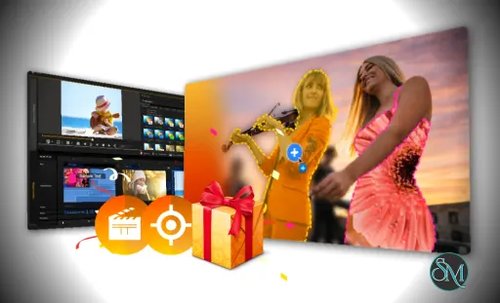
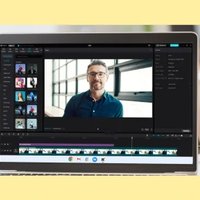
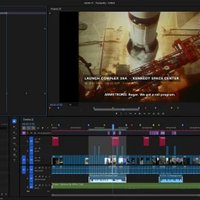
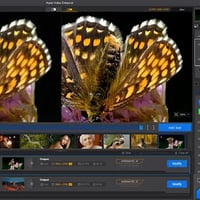
Nero Motion Tracker is a video enhancement and editing tool that uses motion tracking technology to follow moving objects within a video.
The software can automatically analyze footage and track selected subjects, allowing users to:
Attach text to moving objects
Add visual effects
Place stickers and graphics
Create highlight effects
Apply blur or privacy masks
Enhance presentations and tutorials
Rather than manually adjusting positions frame by frame, users can rely on automated tracking to save time and simplify editing.
Nero Motion Tracker is a video editing utility designed to make object tracking and motion-following effects accessible to everyday users. Integrated within Nero's multimedia ecosystem, the software allows creators to track moving objects in video footage and attach visual elements such as text, graphics, stickers, effects, or blur masks that automatically follow the selected target.
While professional video editors have offered motion tracking for years, Nero Motion Tracker aims to simplify the process through AI-assisted automation and a beginner-friendly workflow.
More Products From Nero | |
|---|---|
Search Nero Products with Discount Coupon from Software Mirrors... | |
Key Features of Nero Motion Tracker
AI-Assisted Object Tracking
The primary feature is automatic object detection and tracking.
Users can select a person, vehicle, product, or other visible object, and the software attempts to follow its movement throughout the clip.
Text Tracking
Motion Tracker allows text labels to remain attached to moving subjects, making it useful for:
Tutorials
Educational videos
Sports analysis
Product demonstrations
Social media content
Visual Effects Attachment
Graphics, icons, callouts, and other effects can be linked to tracked objects to create dynamic visual presentations.
Privacy Masking
Users can blur faces, license plates, or other sensitive information while maintaining tracking throughout the video.
This feature is particularly useful for privacy-focused editing.
User-Friendly Workflow
The software is designed to minimize complexity by providing guided tracking tools rather than requiring professional compositing knowledge.
User Experience
Nero Motion Tracker focuses heavily on accessibility.
The workflow typically involves:
Importing a video
Selecting the target object
Running the tracking analysis
Applying effects or overlays
Exporting the finished video
Most users can begin creating tracked effects with little prior experience.
Compared to professional motion tracking systems found in advanced editing suites, Nero's implementation is intentionally simplified, making it approachable for beginners and casual creators.
Tracking Accuracy
Tracking quality depends heavily on source footage.
The software generally performs best when:
The subject remains visible
Lighting conditions are stable
Motion is reasonably predictable
Objects remain distinguishable from the background
For common use cases such as following people, vehicles, or products, results are often satisfactory.
More challenging scenarios involving:
Rapid movement
Motion blur
Occlusions
Crowded scenes
Poor lighting
may reduce tracking accuracy and occasionally require manual adjustments.
Performance
Motion tracking requires video analysis, so processing speed varies based on:
Video resolution
Clip duration
Hardware specifications
Complexity of motion
Modern systems with dedicated GPUs typically deliver the best experience.
For shorter projects and standard-resolution footage, processing times are generally reasonable.
Practical Use Cases
Nero Motion Tracker is particularly useful for:
YouTube videos
Educational content
Product reviews
Family videos
Sports highlights
Social media posts
Privacy protection workflows
Business presentations
Its simple workflow makes it attractive for users who need motion tracking without investing in professional editing platforms.
Comparison to Professional Tools
Professional applications such as advanced compositing and video editing suites often provide:
Multi-point tracking
Camera tracking
3D tracking
Advanced keyframing
Manual correction tools
Nero Motion Tracker does not attempt to compete directly in those areas.
Instead, it focuses on delivering useful motion tracking features through an easier and more approachable interface.
For many everyday creators, this trade-off is beneficial because it significantly reduces the learning curve.
Pros
Easy-to-use tracking workflow
AI-assisted object tracking
Useful text and graphic attachment features
Privacy masking capabilities
Suitable for beginners
Good integration with Nero video tools
Minimal setup complexity
Cons
Less advanced than professional tracking software
Tracking accuracy can vary with difficult footage
Limited advanced compositing features
Performance depends on hardware capabilities
Some complex scenes may require manual corrections
Who Should Use Nero Motion Tracker?
Nero Motion Tracker is ideal for:
Content creators
YouTubers
Educators
Social media creators
Small businesses
Home video editors
Users seeking simple motion tracking tools
It is particularly well suited for users who want practical tracking features without learning professional visual effects software.
Nero Motion Tracker successfully brings motion tracking technology to a broader audience through an accessible and user-friendly workflow. While it lacks the advanced capabilities of professional compositing platforms, it performs well for common tracking tasks such as attaching text, graphics, and privacy masks to moving objects. For casual creators and everyday video editors, it offers a practical balance between functionality and simplicity.