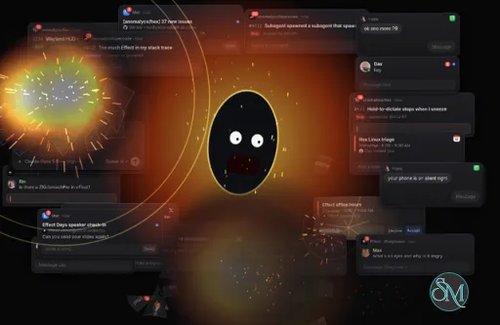

Developed by Anomaly, Hex is an open-source voice dictation application for desktop computers. It converts speech into text and inputs it directly into the application the user is currently using. Instead of opening a separate transcription editor, users simply hold down a keyboard shortcut while speaking; once the key is released, the recognized text is pasted into the active application.
Built using the Rust programming language, Hex utilizes locally downloaded speech recognition models. This means it does not rely on cloud services to function. It is compatible with macOS, Windows, and Linux; however, according to the project documentation, the Windows and Linux versions are still in beta. Hex is highly useful for software developers, writers, and anyone who frequently needs to input text into web browsers, terminals, code editors, or messaging applications.
Features
System-Wide Voice Dictation
Hex works across desktop applications rather than restricting transcription to its own interface.
The basic workflow is straightforward:
Hold the configured keyboard shortcut.
Speak into your microphone.
Release the shortcut.
Hex transcribes the recording and pastes the text into the active application.
This approach makes it convenient for writing emails, entering commands, composing messages, documenting code, and filling out web forms.
Users can configure the shortcut to fit their workflow and avoid conflicts with other applications.
Local AI Speech Recognition
Hex downloads speech recognition models during initial setup and runs transcription locally on the computer.
This reduces dependence on external transcription services and allows ordinary dictation to work without continuously uploading microphone recordings.
The project supports multiple speech recognition models, including Whisper and Parakeet-based models, with additional model options available as the project evolves.
Different models offer different trade-offs in language support, accuracy, memory consumption, and processing speed.
Multiple Languages
Hex supports multilingual dictation through its speech recognition models. Whisper is particularly useful for users who need transcription in languages beyond English.
Model selection matters because not every model supports the same languages. Users should check the available model descriptions before choosing one for regular dictation.
Modes and Application-Specific Behavior
Hex includes Modes that allow users to customize how dictated text is handled.
These can support different writing contexts, such as:
General writing and everyday messages.
Technical documentation.
Programming-related text.
Application-specific vocabulary and formatting.
Text correction and optional post-processing.
This is useful because dictated text for an email does not necessarily need the same formatting as text intended for a terminal or code editor.
Some processing modes can use external providers, so optional AI rewriting should be distinguished from ordinary local transcription.
Custom Vocabulary
The vocabulary feature helps improve recognition of names, technical terminology, abbreviations, and other words that speech recognition models might otherwise misinterpret.
This is particularly useful for developers who regularly dictate programming terms, command names, product names, and specialized terminology.
Voice Activity and Recording Controls
Hex includes audio controls designed to make dictation more convenient.
Its implementation supports releasing the microphone while idle and controlling audio from other applications during dictation on supported platforms.
These features help reduce unnecessary microphone activity and make the recording experience more comfortable.
History and Transcript Management
Hex maintains a history of previous dictations, allowing users to revisit recognized text rather than relying exclusively on immediate insertion.
This is useful when users need to recover a previous transcription or check what was recognized during an earlier session.
Cross-Platform Desktop Support
Hex provides desktop builds for macOS, Windows, and Linux.
Its Linux version supports local hotkey dictation, Modes, History, and signed updates. Windows builds are available for both x64 and ARM64 systems.
Platform-specific requirements apply, particularly to global shortcuts, graphics acceleration, accessibility permissions, and text insertion.
Downloads
Stable is the current release. Dev is the newest build of dev and updates itself from the dev channel.
Platform | Stable | Dev |
|---|---|---|
macOS (Apple silicon) | ||
Windows x64 | ||
Windows ARM64 | ||
Linux x86_64 | ||
Linux x86_64 (Debian, Ubuntu) | ||
Linux x86_64 (Fedora, openSUSE) | ||
Linux ARM64 | ||
Linux ARM64 (Debian, Ubuntu) | ||
Linux ARM64 (Fedora, openSUSE) |
Or install with:
Homebrew:
brew install --cask anomalyco/tap/hexAUR:
yay -S hex-bininstall script (Linux):
curl -fsSL https://anoma.ly/hex/install-linux.sh | shNix:
nix profile install github:anomalyco/hex
More docs are in docs/.
Performance and Compatibility
Hex is designed to keep the dictation workflow responsive without requiring a dedicated cloud transcription service.
Its native Rust implementation handles audio processing and model execution. On supported x64 systems, Vulkan GPU acceleration can improve transcription speed. CPU-based processing is also available on supported configurations, although performance depends on the selected model and hardware.
Supported platforms include:
macOS: Apple silicon Macs running macOS 15 or newer.
Windows: Windows x64 and ARM64. Windows support is currently beta.
Linux: x86_64 and ARM64 distributions. Linux support is currently beta.
Linux compatibility requires additional attention. Global shortcuts, clipboard access, and text insertion depend on desktop environment capabilities. Some Wayland configurations require compatible compositor protocols or additional utilities.
Hex is best suited to quick dictation rather than professional transcription management. It does not aim to replace dedicated transcription suites with extensive editing, subtitle synchronization, or speaker-management tools.
System Requirements
Requirements depend on the operating system and selected speech recognition model.
macOS: Apple silicon and macOS 15 or newer.
Windows: Windows x64 or ARM64. The x64 build uses Vulkan for GPU processing and requires a compatible NVIDIA, AMD, or Intel graphics driver. ARM64 uses CPU processing.
Linux: Compatible x86_64 or ARM64 environment, with Vulkan acceleration available on supported hardware.
Storage: Additional disk space for downloaded speech recognition models.
Microphone: A working microphone and appropriate operating system permissions.
Internet: Required for downloading the application, speech models, and updates. Ordinary local transcription can subsequently work offline.
The application requirements should not be confused with the requirements of individual models. Larger models can consume significantly more memory and processing resources.
Pros and Cons
Pros
Free and open-source under the MIT License.
Local speech recognition without mandatory cloud transcription.
Inserts dictated text directly into the active application.
Supports macOS, Windows, and Linux.
Supports multilingual transcription through compatible models.
Provides configurable keyboard shortcuts.
Includes Modes for different writing contexts.
Supports custom vocabulary.
Maintains dictation history.
Native Rust implementation.
Vulkan acceleration on supported hardware.
Does not require a subscription for basic local dictation.
Cons
Windows and Linux versions are still beta.
macOS support currently targets Apple silicon and macOS 15 or newer.
Larger speech recognition models require additional resources.
Linux setup can require additional configuration for Wayland and text insertion.
Optional AI processing may involve external providers.
Not designed for advanced transcription editing or meeting management.
Speech recognition accuracy varies with microphone quality, background noise, and model selection.
How to Install
Visit the official Hex website.
Select the download package for your operating system.
Install the application using the downloaded installer.
Launch Hex and complete the initial setup.
Download a speech recognition model.
Grant microphone and any required accessibility permissions.
Configure your preferred keyboard shortcut and transcription language.
Open a text editor, browser, or other application.
Hold the configured shortcut, speak, and release it to insert the transcription.
Linux users should consult the installation documentation for their desktop environment, particularly when using Wayland.
Final Verdict
Hex is a compelling voice dictation application for users who want to replace repetitive typing with local AI speech recognition. Its biggest advantage is its straightforward workflow: speak using a keyboard shortcut and have the resulting text appear directly in the application being used.
Its local-first architecture is particularly attractive for privacy-conscious users. The combination of multiple speech models, custom vocabulary, application-specific Modes, and cross-platform support makes it more flexible than a basic voice typing utility.
The main drawbacks are its beta status on Windows and Linux, platform-specific requirements, and dependence on local hardware for transcription performance. Optional AI processing also needs separate privacy consideration because not every feature necessarily runs locally.
Hex is an excellent option for developers, writers, and everyday users who want free, private, and convenient AI-powered voice typing. Its focused design and local processing make it a strong alternative to cloud-dependent dictation services.
Sources
Official product website: Hex
Source code and documentation: GitHub Repository
Windows installation and compatibility: Windows Documentation
Linux implementation and compatibility: Linux Documentation
Project license: MIT License