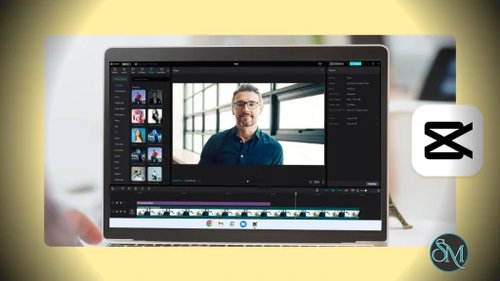


CapCut for Windows is the PC version of the popular CapCut video editor. It brings mobile level simplicity together with desktop level performance. The software supports timeline based editing, visual effects, transitions, AI powered features, and export presets optimized for modern platforms. CapCut for Windows is suitable for both beginners and experienced editors who want fast results without complex workflows.
Download CapCut Offline Installer | ||
|---|---|---|
Key Features of CapCut for Windows
Timeline Based Video Editing
CapCut for Windows provides a multi track timeline that supports video, audio, text, and effects layers. Users can easily cut, trim, split, and rearrange clips with precision.
Built In Effects and Transitions
The software includes a large library of transitions, filters, motion effects, and visual overlays. These tools help create modern and engaging videos without external plugins.
Text and Subtitle Tools
CapCut for Windows supports animated text, captions, and auto subtitle generation. This is especially useful for social media creators and video marketers.
AI Powered Editing Features
Advanced AI tools include background removal, noise reduction, auto captions, and smart scene detection. These features reduce editing time and improve video quality.
Audio Editing and Music Library
Users can adjust volume, add sound effects, apply fade in or fade out, and sync audio with video easily. CapCut also provides royalty free music tracks.
High Resolution Export
CapCut for Windows supports export up to 4K resolution with customizable frame rates and codecs. Export presets are optimized for platforms like TikTok, YouTube, and Instagram.
Performance Optimized for Windows
The software is optimized to use modern CPU and GPU resources efficiently. This ensures smooth playback and fast rendering even with complex projects.
Free to Use
CapCut for Windows offers most features without a paid subscription, making it one of the most accessible professional video editors available.
Benefits of Using CapCut for Windows
Ideal for Social Media Content
CapCut is built with vertical video formats and short form content in mind. It is perfect for creators focused on TikTok, Reels, and Shorts.
Beginner Friendly Interface
The clean layout and guided tools make video editing easy even for users with no prior experience.
Fast Editing Workflow
AI tools and pre built templates significantly reduce editing time.
No Watermark on Exports
Unlike many free editors, CapCut for Windows allows clean exports without forced watermarks.
Regular Feature Updates
The software receives frequent updates that introduce new effects and performance improvements.
CapCut for Windows is a powerful and flexible video editing solution that combines simplicity with advanced features. Its AI driven tools, social media focused presets, and high quality export options make it one of the best free video editors available for Windows users. For anyone looking to create professional looking videos quickly and efficiently, CapCut for Windows is an excellent choice.
CapCut for Windows is a professional grade video editing application designed for content creators, gamers, marketers, and social media users. Developed by ByteDance, the company behind TikTok, CapCut delivers advanced editing tools in a clean and beginner friendly interface. It allows users to produce high quality videos for social platforms, presentations, and creative projects directly on Windows computers.