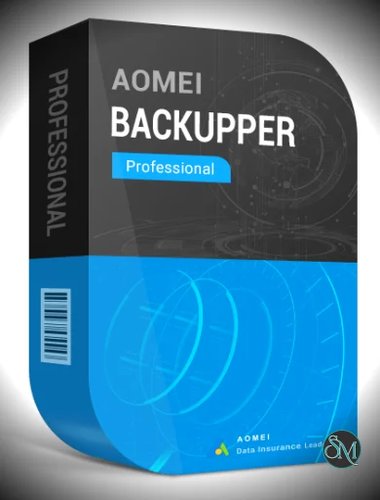


AOMEI Backupper Professional is a powerful backup and recovery software designed for Windows users who need dependable protection for their data, system, and applications. It offers advanced backup tools, cloning features, and real time file syncing while keeping everything simple through an intuitive interface. This makes it an excellent choice for home users, IT workers, and small businesses looking for strong data protection without technical difficulty.
Get Discount 20% OFF using "SWMR" Coupon code for the AOMEI Backupper Products below:
AOMEI Backupper Server (Current Version)
AOMEI Backupper Professional + Lifetime Upgrades(2 PCs )
AOMEI Backupper Professional (1Year Upgrade)
AOMEI Backupper Technician + Lifetime Upgrades (Unlimited PCs)
AOMEI Backupper Technician Plus (Current Version / Unlimited PCs & Servers)
AOMEI Backupper Technician Plus + Lifetime Upgrades (Unlimited PCs & Servers)
AOMEI OneKey Recovery Professional
AOMEI OneKey Recovery Professional (Family License)
FoneTool Professional (1 Year / 5 PCs)
FoneTool Professional (Lifetime Upgrades / 5 PCs)
AOMEI Partition Assistant Professional (Lifetime Upgrades / 2 PCs)
FoneTool Professional (Yearly / 5 PCs)
What Is AOMEI Backupper Professional
AOMEI Backupper Professional is the premium edition of the AOMEI Backupper product line. It integrates full system backup, disk imaging, file backup, automatic scheduling, and disaster recovery. The software helps users safeguard important files and ensures quick recovery in case of hardware failure, system crashes, malware attacks, or accidental deletion.
Key Features of AOMEI Backupper Professional
System Backup and Restore
The software lets you create complete images of your Windows system. If the system becomes unstable or fails to boot, you can restore the image and return to a working environment in minutes.
Disk and Partition Backup
AOMEI Backupper Professional allows backup of entire hard drives or specific partitions. This is useful for users with multiple storage devices or businesses managing several computers.
File and Folder Backup
You can select individual files or folders for backup. This option is ideal for daily work documents, photos, videos, and other important data.
Real Time File Sync
Real time sync monitors selected folders and immediately copies any change to the destination. It ensures files remain updated across devices and avoids version inconsistencies.
Incremental and Differential Backups
To optimize storage and speed, AOMEI Backupper Professional supports incremental and differential backups. This method saves only changed data, reducing backup time and saving disk space.
Disk and System Clone
The cloning feature is highly useful when upgrading from an old hard drive to a new SSD or larger disk. You can migrate the entire system and boot environment without reinstalling Windows.
Automatic and Scheduled Backup
Users can set schedules for daily, weekly, or monthly backups. This automation ensures that data remains protected without needing manual action.
Universal Restore
The Universal Restore feature allows system images to be restored to a different computer with dissimilar hardware. This is valuable for businesses replacing machines or recovering data across various devices.
Ransomware and Malware Protection
By creating secure offline backups, AOMEI Backupper Professional protects your data from ransomware attacks. If files become encrypted by malware, the backup image can restore everything safely.
Cloud Backup Support
The software supports saving backups to various cloud storage services, providing offsite protection and flexible access.
Benefits of Using AOMEI Backupper Professional
Complete Data Protection
With a wide range of backup methods and recovery solutions, users can protect everything from individual files to entire systems.
Easy for All Skill Levels
Even users with limited technical knowledge can create backups and perform restores thanks to the simple interface and guided steps.
Fast System Migration
Cloning technology helps users move to new SSDs or larger storage drives quickly.
Saves Time and Storage Space
Incremental and differential backups help reduce resource usage and ensure efficient long term data management.
Suitable for Home and Business
Its advanced features make it strong enough for IT technicians while staying friendly for home use.
Conclusion
AOMEI Backupper Professional is a reliable and efficient backup solution that delivers strong protection for Windows systems. With comprehensive backup tools, real time sync, cloning support, and fast recovery options, it provides everything needed to secure important data. For users who want dependable backup software without complexity, AOMEI Backupper Professional remains one of the most dependable choices in its category.