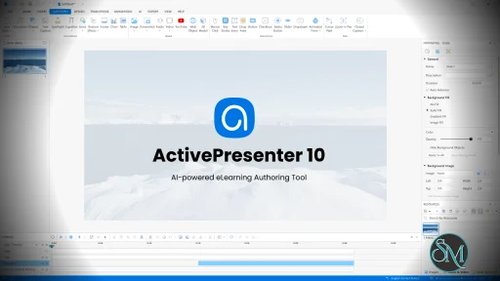
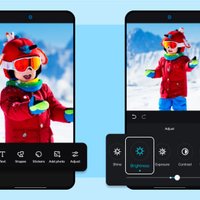
Developed by Atomi Systems, ActivePresenter Standard is a commercial screen recording and multimedia editing application designed for educators, instructors, content creators, technical writers, and businesses that need to produce professional tutorials, software demos, presentations, and instructional videos.
The software integrates screen recording, webcam capture, audio editing, video effects, and document publishing into a single desktop application. It also includes AI-driven tools for generating images, creating narrations, producing subtitles, and translating content.
Unlike the Pro edition, the Standard version focuses on video and document production rather than interactive eLearning courses. It serves as a practical choice for users who require professional-grade recording and editing capabilities without the additional features for course creation.
Download ActivePresenter 10.7.0 - Software Mirrors | |
|---|---|
Download ActivePresenter 10.7.0 Download ActivePresenter 9.4.0 | |
Get Discount 20% OFF using "SWMR" Coupon code for Atomi Systems Products below:
Features
Screen Recording and Capture
ActivePresenter provides built-in screen recording tools for capturing desktop activity and creating instructional content.
Users can record:
Full-screen activity.
Individual application windows.
Selected screen regions.
Webcam footage.
Microphone input.
System audio.
The software supports full-motion recording for continuous screen capture and smart capture for creating slides based on individual user interactions.
Smart capture is particularly useful for software tutorials because it can turn clicks and other interactions into separate slides that can be edited and annotated.
Smart Studio
Smart Studio helps users create polished screen recordings with less manual editing.
Its features include:
Automatic zoom around clicks, typing, and scrolling.
Smart cursor movement and highlighting.
Keyboard shortcut overlays.
Webcam presenter layouts.
Automatic video reframing.
Custom backgrounds, padding, borders, and shadows.
Automatic reframing is particularly useful when preparing the same recording for different platforms. Users can adapt content to landscape, portrait, and square layouts without stretching the original footage.
These tools make ActivePresenter useful for producing software tutorials, product demonstrations, and social media videos.
Audio and Video Editing
ActivePresenter includes a timeline-based editor for refining recordings and combining multimedia content.
Basic editing tools include:
Cutting and trimming clips.
Splitting and joining audio and video.
Cropping video ranges.
Adjusting playback speed.
Changing audio volume.
Inserting freeze frames.
Adding closed captions.
Using video proxies for smoother editing.
Standard also includes advanced editing effects:
Video blur for hiding sensitive information.
Green-screen effects for compositing footage.
AI-powered background noise removal.
Audio normalization.
Audio fade-in and fade-out.
Audio ducking to lower background music when narration plays.
These features make it possible to create finished instructional videos without relying on a separate video editor for common production tasks.
AI-Powered Content Creation
ActivePresenter Standard includes AI-assisted tools that help speed up content production.
Available tools include:
AI Writing: Generate text for slides, instructional materials, and other project content.
Image Generation: Create visuals from text prompts.
Text-to-Speech: Generate narration from text.
Automatic Captions: Convert spoken audio into subtitles.
Translation: Translate text and project content into other languages.
Background Removal: Remove image backgrounds.
Text Extraction: Extract text from images for editing or reuse.
These capabilities are useful for creating multilingual tutorials, instructional presentations, and narrated demonstrations.
AI tools use a credit-based system. A starting balance is included with the paid license, but additional credits may need to be purchased separately.
Smart Annotation and Software Demonstrations
ActivePresenter includes tools for creating explanatory annotations during software demonstrations.
Smart Annotation can generate descriptions based on recorded actions and the target application. This helps users create instructional slides with less manual writing.
The application can also record ActivePresenter itself, making it useful for producing tutorials about software workflows and application features.
Users can supplement recorded actions with callouts, captions, shapes, highlights, and cursor effects to make demonstrations easier to understand.
PowerPoint Import
ActivePresenter can import existing Microsoft PowerPoint presentations and turn them into editable projects.
This is useful for users who already have lecture slides, training presentations, or instructional materials.
After importing a presentation, users can enhance it with:
Audio and video.
Animations.
Captions and annotations.
Visual effects.
Narration.
Additional slides and multimedia elements.
This makes it easier to reuse existing presentations as the foundation for video tutorials and other learning materials.
Document Export
One of the main advantages of ActivePresenter Standard is its ability to export projects into several document formats.
Supported outputs include:
PDF documents.
Microsoft Word.
Microsoft Excel.
Microsoft PowerPoint.
This allows users to repurpose recorded demonstrations and presentation content into printable materials, editable documents, and presentation files.
Microsoft Office does not need to be installed for supported document import and export operations.
Video Export
ActivePresenter supports exporting projects into common video formats for distribution and playback.
Supported formats include:
MP4.
AVI.
WMV.
WebM.
MKV.
Users can configure video quality and export settings according to their intended use.
This makes the software suitable for publishing tutorials to websites, sharing instructional videos, and creating internal training materials.
Commercial Usage
Unlike the Free edition, ActivePresenter Standard includes commercial usage rights.
This means users can create and distribute professional video tutorials, screencasts, and documents for business purposes.
The license is perpetual, so the purchased edition does not expire. It also includes one year of free upgrades to new major versions, while subsequent major-version upgrades can be purchased separately.
Performance and Compatibility
ActivePresenter is a desktop application designed for Windows and macOS. Its integrated recording and editing environment allows users to capture footage, edit recordings, add effects, and export finished content without switching between multiple applications.
The timeline editor supports multiple media elements, making it suitable for combining screen recordings, webcam footage, narration, and background audio.
Smart Studio also reduces the amount of manual editing required for common tutorial-production tasks.
Performance depends on recording resolution, project complexity, video effects, and available hardware. Projects with multiple high-resolution video layers or advanced effects benefit from additional memory and processing power.
One important limitation is that Standard does not provide interactive eLearning publishing. Users who need clickable simulations, quizzes, branching scenarios, HTML5 courses, or LMS tracking will need the Pro edition.
System Requirements
ActivePresenter supports the following desktop platforms:
Windows: Windows 10 and Windows 11, 64-bit.
macOS: macOS 13 or later.
Processor: 2 GHz or faster CPU with SSE2 support.
Memory: 8 GB RAM or more recommended.
Storage: Approximately 10 GB of available disk space.
Audio: Sound card and microphone for audio recording.
Webcam: Required only for webcam recording.
Modern browsers are recommended for testing exported content and reviewing video playback.
Pros and Cons
Pros
Commercial usage rights.
Perpetual license with a one-time purchase.
Screen recording with webcam, microphone, and system audio.
Full-motion and smart capture modes.
Smart Studio with automatic zoom and reframing.
Built-in audio and video editing.
Advanced video blur and green-screen effects.
AI-powered noise removal and audio normalization.
Audio ducking and narration tools.
AI writing, image generation, and text-to-speech.
Automatic captions and translation.
PowerPoint import.
Exports to MP4, AVI, WMV, WebM, and MKV.
Exports to PDF, Word, Excel, and PowerPoint.
Does not require Microsoft Office for supported document operations.
Suitable for professional tutorials and software demonstrations.
Cons
Does not include interactive eLearning authoring features.
No quiz or assessment creation.
No HTML5 course publishing.
No SCORM or xAPI export.
AI tools require credits, and additional usage may incur costs.
Available only for Windows and macOS.
Complex video projects can require substantial system resources.
Not a complete replacement for professional nonlinear video editing applications.
How to Install
Visit the official ActivePresenter website.
Open the download section and select the Windows or macOS installer.
Download and install the application.
Launch ActivePresenter.
Create a new project or import an existing PowerPoint presentation.
Configure screen recording, audio, and webcam settings if needed.
Record and edit your content using the timeline and Smart Studio tools.
Export the finished project to video or document formats.
ActivePresenter uses the same installer for its Free, Standard, and Pro editions. To activate Standard, purchase a license and enter the product key through the application. Reinstallation is not necessary.
Final Verdict
ActivePresenter Standard is a capable screen recording and video production application for users who need more than basic desktop capture. Its combination of screen recording, Smart Studio, timeline editing, advanced audio and video effects, and AI-assisted content creation makes it suitable for producing professional tutorials, software demonstrations, and training materials.
Its document export capabilities are another advantage, allowing users to convert projects into PDF, Word, Excel, and PowerPoint files. The perpetual commercial license also makes it attractive for individuals and businesses that prefer a one-time software purchase over recurring subscriptions.
However, the absence of interactive eLearning authoring is an important limitation. Users who need quizzes, branching scenarios, interactive simulations, or LMS integration should consider ActivePresenter Pro instead.
Overall, ActivePresenter Standard is a strong choice for content creators, educators, and businesses focused on producing polished instructional videos and documents without requiring a full eLearning authoring suite.