
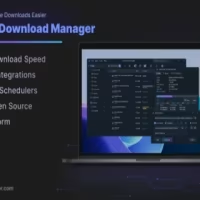


AB Download Manager is a free and open source download manager designed to accelerate downloads, organize files, and provide features commonly associated with premium tools such as Internet Download Manager (IDM). Available for Windows, Linux, macOS, and Android, it has quickly gained attention among users looking for a modern download manager without licensing fees.
AB Download Manager focuses on delivering a clean user experience while retaining the advanced functionality expected from a dedicated download accelerator. The software uses multiple connections per download to improve transfer speeds, supports download resuming, integrates with web browsers, and offers queue management and scheduling features.
Unlike many commercial alternatives, the project is completely free and released as open source software under the Apache 2.0 license.
Download AB Download Manager v1.10.4 - Software Mirrors |
|---|
AB Download Manager v1.10.4 for WindowsABDownloadManager_1.10.4_windows_arm64.exe | 71.33 MB ABDownloadManager_1.10.4_windows_arm64.zip | 85.59 MB |
AB Download Manager v1.10.4 for macOSABDownloadManager_1.10.4_mac_arm64.dmg | 86.59 MB ABDownloadManager_1.10.4_mac_arm64.tar.gz | 85.22 MB |
AB Download Manager v1.10.4 for Linux |
AB Download Manager v1.10.4 for Android |
AB Download Manager v1.10.4 Release Notes:1.10.4This version is a hot-fix for previous version, update to this version instead.Fixed
Release notes for previous version (
|
Key Features of AB Download Manager
Multi-Threaded Download Acceleration
AB Download Manager can split downloads into multiple connections, helping maximize available bandwidth and potentially achieving significantly faster downloads than standard browser download tools.
Download Queue Management
Users can create download queues and process files sequentially. This feature is particularly useful when downloading multiple large files while maintaining bandwidth control.
Download Scheduler
The built-in scheduler allows downloads to start and stop automatically at specified times. This is useful for overnight downloads or managing bandwidth usage during peak hours.
Browser Integration
Browser extensions are available to automatically capture download links from supported web browsers, making the download process seamless and similar to commercial download managers.
Speed Limiting
The application includes bandwidth controls that allow users to limit download speeds and prevent downloads from consuming the entire internet connection.
Checksum Verification
AB Download Manager supports checksum verification, helping users confirm file integrity after downloads complete. This feature is especially useful when downloading operating system images, software packages, and large archives.
Performance and User Experience
One of the most impressive aspects of AB Download Manager is its modern interface. The design feels significantly more contemporary than many long-established download managers while remaining easy to navigate. Dark mode support is included by default, and the application remains lightweight even during large download sessions.
For direct file downloads, performance is excellent. Resume functionality, queue management, and browser integration work reliably for most everyday use cases. Community feedback frequently compares the software favorably to IDM, particularly considering its free and open source nature.
Pros
Completely free and open source.
Modern and intuitive interface.
Multi-threaded download acceleration.
Download scheduling and queue management.
Browser extension integration.
Cross-platform availability.
Checksum verification support.
Active development and frequent updates.
Cons
Some advanced download handling features are still less mature than IDM.
Browser integration may not be as polished as long-established commercial competitors.
Certain platform builds receive more attention than others.
Video downloading capabilities are more limited than specialized tools.
Who Should Use AB Download Manager?
AB Download Manager is ideal for users who regularly download large files, software installers, ISO images, archives, and development resources. It is particularly attractive for users seeking a free alternative to IDM without sacrificing essential functionality.
Linux users, open source enthusiasts, and anyone avoiding subscription or license fees will find it especially appealing.
Final Verdict
AB Download Manager is one of the most promising open source download managers available today. It combines a modern interface, strong download acceleration, queue management, scheduling, and browser integration into a polished package that costs nothing to use.
While it does not yet surpass every advanced capability of IDM, it delivers exceptional value and is already more than sufficient for most users' downloading needs.