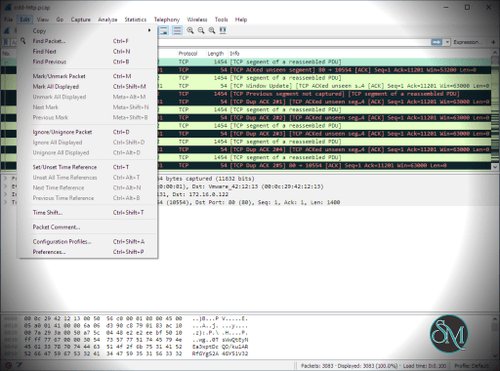

Wireshark is a free and open source packet analyzer used for capturing and inspecting network traffic in real time.
Originally known as Ethereal before a trademark dispute, Wireshark has evolved into the industry standard tool for network troubleshooting, security analysis, protocol development, and educational use.
The software supports Windows, Linux, macOS, and many Unix based systems.
Wireshark is widely regarded as the most powerful and trusted network protocol analyzer available today. Used by cybersecurity professionals, network engineers, developers, researchers, and IT administrators, it provides deep visibility into network traffic with an unmatched level of detail.
Despite being free and open source, Wireshark remains one of the most advanced packet analysis tools in the industry.
Key Features of Wireshark
Deep Packet Inspection
Wireshark can capture and analyze thousands of network protocols in extremely detailed form, including HTTP, DNS, TCP, TLS, SIP, SMB, QUIC, and many others.Live Traffic Capture
The software captures live network traffic directly from network interfaces, allowing real time monitoring and troubleshooting.Advanced Filtering System
One of Wireshark’s strongest features is its powerful display and capture filtering system, which helps users isolate specific traffic quickly.Protocol Decoding
Wireshark automatically decodes protocols into human readable formats, making complex network communication easier to understand.Cross Platform Support
The application works across major desktop operating systems and supports a wide range of capture hardware.Export and Analysis Tools
Captured traffic can be exported, replayed, searched, and analyzed using detailed statistics and graphing tools.
Download Wireshark 4.6.9 - Software Mirrors | |||||
|---|---|---|---|---|---|
Windows x64Download Wireshark 4.6.9 - Link #1 Download Wireshark 4.6.9 - Link #2 Download Wireshark 4.6.9 - Link #3 |
Windows Arm64Download Wireshark 4.6.9 - Link #1 Download Wireshark 4.6.9 - Link #2 Download Wireshark 4.6.9 - Link #3 |
Windows PortableDownload Wireshark 4.6.9 - Link #1 Download Wireshark 4.6.9 - Link #2 Download Wireshark 4.6.9 - Link #3 |
|||
macOS UniversalDownload Wireshark 4.6.9 - Link #1 Download Wireshark 4.6.9 - Link #2 Download Wireshark 4.6.9 - Link #3 |
Ubuntu |
||||
User Experience
Wireshark is extremely powerful, but it is not beginner friendly.
The interface exposes massive amounts of technical information, which can overwhelm new users who lack networking knowledge. Even simple captures may display thousands of packets within seconds.
For network professionals, however, Wireshark becomes indispensable. The filtering system, protocol hierarchy tools, and packet inspection workflow are considered best in class.
Educational communities often use Wireshark to teach networking fundamentals because it visually demonstrates how protocols actually behave on live networks.
Performance and Compatibility
Wireshark performs exceptionally well for most enterprise and educational workloads. It can handle large captures efficiently, though extremely high throughput environments may require specialized hardware or command line capture tools like dumpcap or tshark.
The software supports a huge range of protocols and continues receiving regular updates for emerging standards and security improvements.
Security and Ethical Considerations
Wireshark itself is a legitimate security and diagnostic tool, but like many network analysis utilities, it can be misused if deployed irresponsibly.
Capturing network traffic may expose sensitive information including credentials, cookies, unencrypted messages, and metadata. Users should always ensure they have authorization before monitoring networks they do not own or administer.
Modern encrypted traffic also limits visibility into application content unless proper decryption methods are configured.
Pros
Industry standard packet analysis tool
Extremely detailed protocol inspection
Powerful filtering capabilities
Free and open source
Cross platform support
Excellent educational and troubleshooting value
Massive protocol compatibility
Cons
Steep learning curve for beginners
Interface can feel overwhelming
Large captures consume significant storage
Requires networking knowledge for effective use
Wireshark is ideal for cybersecurity professionals, network engineers, system administrators, developers, IT students, and protocol researchers.
It is especially valuable for troubleshooting connectivity issues, analyzing suspicious traffic, debugging applications, and learning how networks function internally.
Wireshark remains the gold standard for network traffic analysis. Its depth, flexibility, and protocol support make it one of the most important tools in modern networking and cybersecurity. While the learning curve is significant, the capabilities it provides are unmatched in the open source networking world.