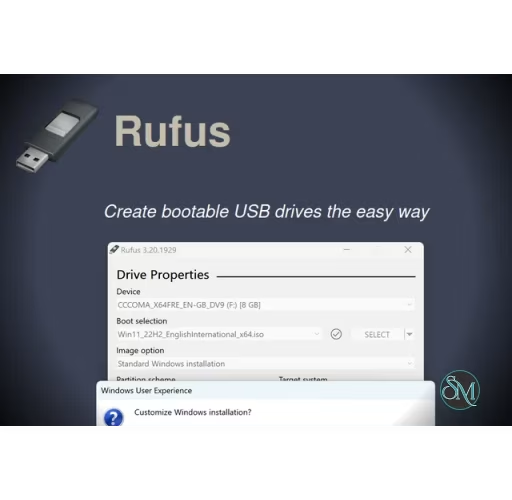



Rufus is a free utility that allows you to format USB flash drives and create bootable USB media. It is commonly used to create installation media for Windows, Linux distributions, and other bootable tools such as BIOS update utilities or recovery environments.
Unlike many similar tools, Rufus does not require installation. You can run it directly after downloading, making it ideal for quick tasks or use on multiple computers.
Download Rufus 4.15 - Software Mirrors |
|---|
Download Rufus 4.15 Download Rufus 4.15 Download Rufus 4.15 |
Rufus 4.15 Release Notes:* Add RISC-V 64 support to UEFI:NTFS
|
Key Features of Rufus
Rufus is designed for speed, simplicity, and flexibility. Some of its most important features include:
Create bootable USB drives for Windows ISO files
Support for Linux ISO and IMG files
UEFI and Legacy BIOS compatibility
GPT and MBR partition scheme support
FAT32, NTFS, exFAT, and UDF file systems
Advanced options for cluster size and formatting
Portable executable with no installation required
Extremely fast ISO to USB creation process
Rufus is frequently updated to support the latest Windows versions and hardware requirements.
Supported Operating Systems
Rufus itself runs on Windows, but it can create bootable media for multiple operating systems.
Rufus can be used to create bootable USB drives for:
Windows 11, Windows 10, Windows 8.1, Windows 7
Most Linux distributions such as Ubuntu, Fedora, Debian, Arch Linux
FreeDOS and other bootable utilities
Custom ISO images
It supports both 32 bit and 64 bit ISO files depending on the operating system.
Why Rufus Is So Popular
Rufus stands out because it is fast, reliable, and easy to use. Even users with minimal technical experience can create a bootable USB drive in just a few clicks.
Key reasons people choose Rufus include:
Faster performance compared to many alternatives
Clean interface with clear options
No ads, no bundled software, no tracking
Works well with modern UEFI systems
Excellent compatibility with Windows installation ISOs
Rufus is often recommended by professionals when creating Windows installation media.
Common Use Cases for Rufus
Rufus is useful in many real world situations, including:
Installing Windows on a new or formatted computer
Reinstalling Windows after system failure
Creating a Linux live USB for testing or recovery
Updating firmware or BIOS from a USB drive
Running system diagnostics and repair tools
Because Rufus is portable, it is also ideal for technicians who work on multiple machines.
How to Use Rufus
Using Rufus is straightforward:
Download Rufus from the official website
Insert a USB flash drive
Open Rufus executable
Select your USB device
Choose the ISO file
Select partition scheme and target system
Click Start and wait for completion
Rufus will warn you before formatting the USB drive, ensuring no data is lost accidentally.
Is Rufus Safe to Use
Yes, Rufus is safe when downloaded from the official source. It is open source software, which means its code can be reviewed by the public. There are no hidden processes, ads, or unwanted background activity.
Always verify the source of your download to avoid modified or unofficial versions.
Rufus is a powerful and reliable bootable USB creation tool that delivers excellent performance without unnecessary complexity. Whether you are installing Windows, testing Linux, or performing system recovery, Rufus provides everything you need in a simple and efficient package.
For anyone who frequently works with operating systems or bootable tools, Rufus is an essential utility worth keeping on your system.
Rufus is one of the most trusted and widely used tools for creating bootable USB drives on Windows. It is especially popular among IT professionals, system administrators, and everyday users who need a fast and reliable way to install or repair operating systems. Lightweight, free, and open source, Rufus focuses on doing one job extremely well.