


REAPER is a full featured DAW that allows users to record, edit, mix, and master audio and MIDI projects. It supports multitrack recording, virtual instruments, effects processing, and automation.
REAPER runs efficiently on modest hardware while still scaling well for complex professional projects.
Key Features of REAPER
REAPER focuses on efficiency, customization, and professional control.
Main features include:
Multitrack audio and MIDI recording
Non destructive editing and unlimited tracks
Advanced routing and signal flow control
Built in audio effects and plugins
VST, VST3, AU, and AAX plugin support
Customizable interface and keyboard shortcuts
Powerful automation and scripting support
Extremely small installer and fast performance
These features make REAPER suitable for both home studios and professional environments.
Audio and MIDI Capabilities
REAPER provides precise audio editing tools, including time stretching, pitch shifting, and item based effects. MIDI editing is equally powerful, with detailed control over notes, velocities, and automation.
Its routing system allows complex setups that are difficult or impossible in some other DAWs.
Performance and Stability
One of REAPER’s biggest strengths is performance. It is optimized to use system resources efficiently, making it ideal for large projects with many tracks and plugins.
REAPER is known for exceptional stability, even during long recording sessions.
Customization and Workflow
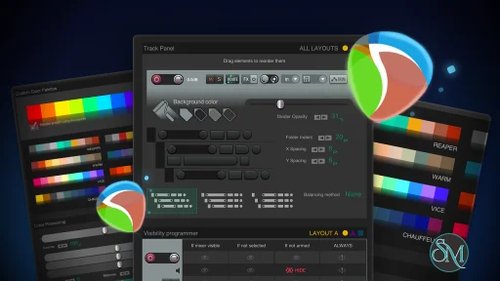
REAPER is highly customizable. Users can modify themes, layouts, menus, and shortcuts to match their workflow. Advanced users can extend functionality through scripts and extensions.
While this flexibility is powerful, it may feel overwhelming for beginners at first.
Supported Platforms
REAPER is available on:
Windows
macOS
Linux
Projects are fully compatible across platforms, making collaboration easy.
Licensing and Pricing
REAPER offers a generous free evaluation period with full functionality. After evaluation, users can purchase a discounted license for personal or small business use, or a commercial license for larger operations.
The pricing is significantly lower than most competing DAWs.
Pros and Cons of REAPER
Pros:
Professional grade features
Extremely efficient and lightweight
Highly customizable workflow
Cross platform support
Affordable licensing
Cons:
Steep learning curve for beginners
Interface is less polished by default
Built in instruments are limited compared to some DAWs
Despite these points, REAPER remains a favorite among professionals.
Common Use Cases
REAPER is commonly used for:
Music production and mixing
Audio recording and editing
Podcast production
Sound design and post production
Live recording sessions
Its flexibility makes it suitable for almost any audio task.
Final Verdict
REAPER is one of the most powerful and efficient digital audio workstations available today. It delivers professional level tools, excellent performance, and unmatched flexibility at a very reasonable price.
For users willing to invest time in learning, REAPER offers exceptional long term value.
REAPER is a professional digital audio workstation developed by Cockos. It is widely respected for its performance, flexibility, and lightweight design. Used by musicians, producers, sound engineers, and podcasters, REAPER offers advanced audio production tools at a very affordable price.