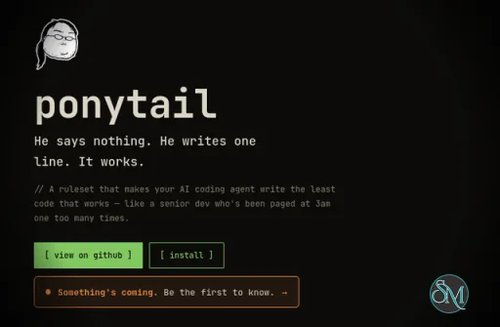




Ponytail is an open source tool that changes how AI coding agents approach software development. Its core idea is simple: before writing new code, the agent should first ask whether the code is actually necessary. If it is, Ponytail encourages the agent to reuse existing code, use the standard library, rely on native platform features, or choose the simplest implementation possible.
The philosophy behind Ponytail is based on avoiding unnecessary complexity. Its rules follow a simple progression: check whether something needs to exist, reuse what is already available, use the standard library, use native platform features, use installed dependencies, and only then write the minimum code required. This is essentially YAGNI applied directly to AI coding agents.
This approach addresses a common problem with AI assisted development. Coding agents can sometimes over-engineer relatively simple requirements by adding dependencies, creating unnecessary abstractions, or building components that a platform already provides. Ponytail attempts to keep the agent focused on the simplest solution instead of automatically producing more code.
An important detail is that Ponytail does not simply tell the AI to write fewer lines. The project explicitly separates being lazy from being careless. Validation at trust boundaries, data loss handling, security, and accessibility are not supposed to be removed just to make the code shorter. The agent is expected to understand the problem and existing code before applying the simplicity rules.
The project also provides several ways to integrate Ponytail into AI coding environments. It supports tools including Claude Code, Codex, GitHub Copilot CLI, Pi, OpenCode, Devin, OpenClaw, and several other agent environments. This makes it more flexible than a simple instruction file intended for one particular coding assistant.
The benchmark results are particularly interesting. In the project's agentic benchmark using Claude Code and a real FastAPI plus React repository, Ponytail reduced lines of code by 54 percent, tokens by 22 percent, cost by 20 percent, and execution time by 27 percent compared with the same agent without the skill. The benchmark covered 12 feature tasks with Haiku 4.5.
Those numbers should not be interpreted as guaranteed savings for every project. The results depend on the model, prompt, task, and existing codebase. The project itself notes that a reasoning model can sometimes spend additional tokens thinking through the rules, potentially reducing or reversing the expected savings.
Another positive aspect is that Ponytail is not tied to a particular programming language. Since it works primarily by influencing how the coding agent approaches a task, it can be applied across different languages and frameworks. That makes the concept useful whether you are working on a frontend application, backend service, CLI tool, or another type of software project.
There is also a potential downside. Simplicity is not always the correct answer. Some projects genuinely need abstractions, additional dependencies, or more elaborate architecture. Developers should therefore treat Ponytail as a decision-making guideline rather than an instruction to blindly minimize every implementation.
For experienced developers, this can be particularly useful because it reinforces a mindset that experienced engineers already use: understand the existing system first, avoid unnecessary changes, and solve the actual problem rather than the imagined one.
Download Ponytail v5.3.2 - Software Mirrors |
|---|
Ponytail v5.3.2 Source Code |
Ponytail v5.3.2 Release Notes:Ponytail 5.3.2 brings your old sessions to the board./ponytail band import reads your past Claude Code sessions once and adds them with their cost, agent time and tokens, so you can compare them with today's. The board also shows which model each session used.
What's Changed
|
How it works
Before writing code, the agent stops at the first rung that holds:
1. Does this need to exist?   → no: skip it (YAGNI)
2. Already in this codebase?  → reuse it, don't rewrite
3. Stdlib does it?            → use it
4. Native platform feature?   → use it
5. Installed dependency?      → use it
6. One line?                  → one line
7. Only then: the minimum that works
The ladder runs after it understands the problem, not instead of it: it reads the code the change touches and traces the real flow before picking a rung. Lazy about the solution, never about reading.
Lazy, not negligent: trust-boundary validation, data-loss handling, security, and accessibility are never on the chopping block.
Install
The most effort ponytail will ever ask of you:
The Claude Code and Codex plugins run two tiny Node.js lifecycle hooks, so node needs to be on your PATH (note for Nix/nvm users: it must be on the non-interactive shell's PATH). If it isn't, the skills still work, the always-on activation just stays quiet instead of erroring on every prompt.
Claude Code
/plugin marketplace add DietrichGebert/ponytail
/plugin install ponytail@ponytail
(You have to send two separate prompts for the install to work)
Same steps in the Claude Code Desktop app's Code tab: type the two /plugin commands above into the prompt box, or click the + button next to it, choose Plugins → Add plugin to browse your configured marketplaces, and manage marketplaces from Customize in the sidebar.
Codex
codex plugin marketplace add DietrichGebert/ponytail
codex plugin add ponytail@ponytail
Run codex and open /hooks, review and trust its two lifecycle hooks, and start a new thread.
This same install also covers the Codex desktop app: restart the app after installing and it picks up the plugin.
GitHub Copilot CLI
copilot plugin marketplace add DietrichGebert/ponytail
copilot plugin install ponytail@ponytail
In an interactive Copilot CLI session, use the slash equivalents:
/plugin marketplace add DietrichGebert/ponytail
/plugin install ponytail@ponytail
Copilot CLI namespaces plugin commands by plugin name. For example:
/ponytail:ponytail ultra
/ponytail:ponytail-review
Pi agent harness
pi install git:github.com/DietrichGebert/ponytail
OpenCode
Add to opencode.json:
{ "plugin": ["@dietrichgebert/ponytail"] }Run from a checkout instead (the plugin reuses hooks/ and skills/):
{ "plugin": ["./.opencode/plugins/ponytail.mjs"] }Injects the ruleset every turn at the active level; adds the /ponytail commands (see Commands). OpenCode also auto-loads this repo's AGENTS.md, so the rules hold even without the plugin. The plugin adds the lite/full/ultra/off levels.
The ./ path resolves against your project's opencode.json; to share one checkout across projects, point it at the absolute path of the .mjs instead (it finds its hooks/ and skills/ relative to its own file).
Gemini CLI
gemini extensions install https://github.com/DietrichGebert/ponytailLoads the ruleset as always-on context every session and registers the /ponytail commands; the skills/ ship too, activated when a task needs them. The Gemini adapter intentionally does not ship a root hooks/hooks.json: Gemini auto-loads that path, while Ponytail's lifecycle hooks use Claude/Codex event names.
Qoder
Qoder auto-loads AGENTS.md from the repo root as always-on context, so running ponytail from a checkout works with zero setup. For per-project rules, copy .qoder/rules/ponytail.md into your project's .qoder/rules/. The six ponytail skills (/ponytail, /ponytail-review, /ponytail-audit, /ponytail-debt, /ponytail-gain, /ponytail-help) are available via Qoder's Skill system; the plugin manifest at .qoder-plugin/plugin.json points at the skills/ directory.
For full plugin-tier support (automatic mode activation + ruleset injection on every prompt), add the hooks from hooks/qoder-hooks.json to your .qoder/settings.json. Replace PONYTAIL_DIR with the path to your ponytail checkout. Qoder's UserPromptSubmit hook activates the default mode on first prompt and injects the ruleset every turn; PreToolUse with task|Task matcher injects the ruleset into subagents. Level switches (/ponytail lite|full|ultra|off) work automatically.
Antigravity CLI
Google is renaming Gemini CLI to Antigravity CLI (the agy binary); the same extension installs there:
agy plugin install https://github.com/DietrichGebert/ponytailIt reuses this repo's gemini-extension.json. One difference: Antigravity converts the /ponytail commands into skills, so you type them into the chat (e.g. /ponytail-review as a message) instead of picking them from a slash menu. Until the migration completes (around June 18, 2026), gemini extensions install still works too. To run it as an always-on rule instead, drop the ruleset into .agents/rules/.
Hermes Agent
hermes plugins install DietrichGebert/ponytail --enableRestart Hermes after installing. The plugin injects the active Ponytail mode before each LLM turn, registers the bundled skills as ponytail:<skill>, and adds /ponytail, /ponytail-review, /ponytail-audit, /ponytail-debt, /ponytail-gain, and /ponytail-help. In shared gateways, restrict /ponytail to trusted users with Hermes slash-command access controls; runtime mode is process-local.
CodeWhale
Reads AGENTS.md from the project root, zero setup. Copy AGENTS.md to your project, or run codewhale from a checkout of this repo. That's it.
Swival
Stage the collection in your library first, then add the skills you want:
swival skills add --global https://github.com/DietrichGebert/ponytail  # stage into ~/.config/swival/library
swival skills add ponytail                                             # install the collection into this project
swival skills add --global ponytail                                    # or activate it in every project
Swival also reads AGENTS.md from the project root and ~/.config/swival/AGENTS.md globally, the instruction-only fallback.
On the command line, use a $ prefix to explicitly activate a skill. For example: $ponytail-review.
Devin CLI
devin plugins install DietrichGebert/ponytailInstalls ponytail as a Devin plugin; skills are available as /ponytail:ponytail, /ponytail:ponytail-review, and so on.
OpenClaw
clawhub install ponytailInstalls ponytail as an OpenClaw skill from ClawHub; the review, audit, debt, gain, and help skills install the same way (clawhub install ponytail-review, and so on). OpenClaw applies it on coding tasks and also exposes it as a /ponytail command. Without ClawHub, copy .openclaw/skills/ponytail into ~/.openclaw/skills/.
Grok Build
grok plugin install DietrichGebert/ponytail --trustEnable the plugin (off by default): /plugins → Plugins → Space on ponytail, or in ~/.grok/config.toml:
[plugins]
enabled = ["ponytail"]
Start a new session (or reload plugins). Skills show as /ponytail, /ponytail-review, /ponytail-audit, /ponytail-debt, /ponytail-gain, /ponytail-help. Verify with grok inspect. Grok can auto-invoke ponytail for coding tasks from its skill description; use /ponytail (or /ponytail lite, /ponytail full, /ponytail ultra) when activation needs to be explicit. Grok lifecycle hooks are not used because their SessionStart output cannot inject instructions.
Pros
Encourages simpler AI generated code
Reduces unnecessary dependencies and abstractions
Applies YAGNI principles to AI coding agents
Encourages reuse of existing project code
Supports multiple AI coding environments
Designed to preserve security and accessibility considerations
Open source and MIT licensed
Benchmark shows meaningful reductions in code, cost, tokens, and time
Cons
Results depend heavily on the AI model and task
Simplicity rules can be inappropriate for some complex projects
Adds another layer of instructions to the coding workflow
Benchmark results should not be treated as universal performance guarantees
Final Verdict
Ponytail is an interesting solution to one of the biggest weaknesses of AI assisted programming: the tendency to build more than necessary. Instead of simply telling an AI agent to produce shorter code, it gives the agent a structured decision process for finding simpler solutions before writing anything.
Its strongest idea is that less code should be a consequence of better engineering decisions, not code golf. Reusing existing functionality, choosing native features, avoiding unnecessary dependencies, and questioning whether a feature needs to exist in the first place can make AI generated software easier to maintain.
For developers who regularly use AI coding agents and are tired of unnecessary abstractions, dependencies, and over-engineered solutions, Ponytail is well worth trying.