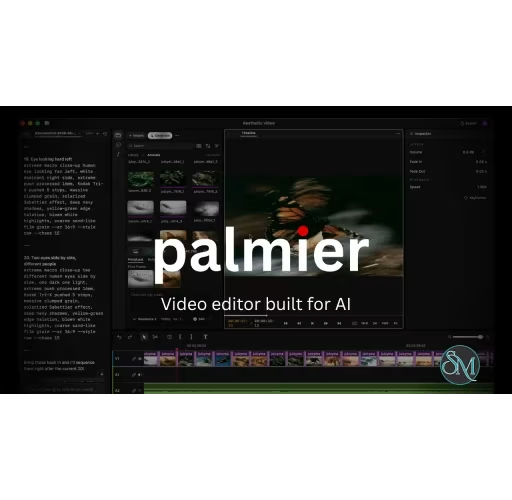


Palmier Pro is an AI-powered video editing platform that combines professional timeline editing with integrated AI generation tools. Instead of forcing creators to switch between AI generation websites and traditional video editors, Palmier Pro places AI image, video, and audio generation directly inside the editing workflow.
The biggest differentiator of Palmier Pro is its timeline-first approach. Users can generate AI content, edit footage, arrange clips, and export finished projects without constantly moving assets between different applications. The software supports both AI-generated media and traditional video assets within the same project.
Palmier Pro is currently available for macOS and integrates with several major AI models for media generation.
Download Palmier Pro v0.9.0 - Software Mirrors |
|---|
Palmier Pro v0.9.0 for macOS |
Palmier Pro v0.9.0 Release Notes:What's new
|
Key Features of Palmier Pro
AI Generation Inside the Timeline
Palmier Pro allows users to create AI-generated images, videos, and audio directly from the editing interface. This significantly reduces the friction commonly associated with AI-assisted video production.
Professional Editing Tools
The platform includes multi-track editing for video, audio, images, and text. Standard editing capabilities such as trimming, splitting, speed adjustments, opacity controls, and transformations are also available.
AI Agent Integration
One of the more unique features is support for AI agents through MCP integration. This allows compatible AI assistants to interact with projects and assist with content generation and editing workflows.
Export Flexibility
Projects can be exported in common video formats, and users can also export to professional editing environments such as Adobe Premiere Pro and DaVinci Resolve when additional post-production work is required.
Performance and User Experience
Palmier Pro delivers a modern interface that feels closer to a professional editor than a simple AI generation tool. The workflow is designed to keep creators focused on editing rather than juggling multiple services and downloads.
For content creators producing AI-assisted marketing videos, social media clips, product showcases, or experimental visual content, the integrated approach can save considerable time.
The software is less suitable for users who only need occasional AI-generated clips, as its strengths become more apparent in larger production workflows.
Pros
AI generation integrated directly into the editing timeline.
Supports both AI-generated and traditional media.
Multi-track professional editing capabilities.
Export options for Premiere Pro and DaVinci Resolve.
AI agent integration for advanced workflows.
Streamlined content creation process.
Cons
Currently focused on the macOS ecosystem.
Newer platform with a smaller ecosystem than established editors.
Some advanced creators may still require dedicated post-production software for complex projects.
Who Should Use Palmier Pro?
Palmier Pro is best suited for content creators, marketers, startup teams, social media managers, and video professionals who regularly incorporate AI-generated content into their workflow. It is particularly appealing to users who are tired of constantly moving files between AI generation platforms and traditional video editors.
Final Verdict
Palmier Pro successfully bridges the gap between AI media generation and professional video editing. By embedding AI capabilities directly into the timeline, it offers a workflow that feels more efficient than the traditional generate-download-import process used by many creators today.
While the platform is still relatively new, its integrated approach gives it a strong advantage for AI-first video production workflows.