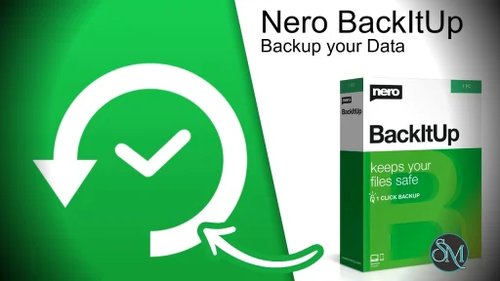

Nero BackItUp is a Windows backup application that allows users to create automated backups of files, folders, drives, and connected devices.
The software supports various backup destinations, including:
External hard drives
USB storage devices
Network locations
Local storage
Optical media
Cloud services through supported integrations
Its primary goal is to simplify the backup process while ensuring that important data can be restored when needed.
Nero BackItUp is a dedicated backup and recovery solution designed to help users protect important files, photos, videos, and system data from accidental loss, hardware failure, ransomware attacks, and other common threats. As part of the broader Nero software ecosystem, BackItUp focuses on making automated backups accessible to everyday users while offering enough flexibility for more advanced backup strategies.
In an era where personal and business data is increasingly valuable, having a dependable backup solution remains one of the most important aspects of digital security.
More Products From Nero | |
|---|---|
Search Nero Products with Discount Coupon from Software Mirrors... | |
Key Features of Nero BackItUp
Automated Backup Scheduling
Nero BackItUp allows users to schedule backups at regular intervals, reducing the risk of forgetting to protect important data.
Automatic scheduling helps maintain consistent backup routines without requiring manual intervention.
Full and Incremental Backups
The software supports multiple backup methods, including:
Full backups
Incremental backups
Differential backups
This flexibility allows users to balance storage efficiency and recovery speed.
External Drive Backup
Users can automatically back up files to external hard drives and USB devices whenever they are connected to the system.
This feature is especially useful for users who prefer offline backups.
Photo and Media Protection
BackItUp works well for safeguarding large collections of:
Photos
Videos
Music libraries
Personal documents
The software can automatically monitor selected folders and update backups when changes occur.
File Recovery
When data loss occurs, users can restore individual files or entire backup sets through the recovery interface.
The restoration process is straightforward and does not require advanced technical knowledge.
Ransomware Protection Benefits
While not a dedicated anti-ransomware solution, maintaining isolated backups can significantly reduce the impact of ransomware attacks by allowing users to recover clean copies of their files.
User Experience
One of Nero BackItUp's strongest qualities is its simplicity.
The interface focuses on common backup tasks rather than overwhelming users with enterprise-level options. Backup jobs can be configured through guided workflows, making the software approachable even for users with limited technical experience.
The dashboard clearly displays backup status, schedules, and storage destinations, helping users monitor their protection strategy at a glance.
Performance
Backup performance depends largely on:
Storage hardware
Backup size
Network speed
Backup type
For typical home use, performance is generally reliable and predictable.
Incremental backups are particularly efficient because only modified data is copied after the initial backup has been completed.
The software runs smoothly in the background and has minimal impact on system responsiveness during routine operations.
Backup Flexibility
Nero BackItUp offers enough flexibility for a wide range of use cases.
Users can protect:
Personal documents
Family photos
Video collections
Work files
Entire folders
Selected directories
The ability to combine scheduled backups with external storage devices makes it suitable for both simple and more comprehensive backup strategies.
Security Considerations
The software encourages one of the most important principles of data protection: maintaining multiple copies of important information.
By storing backups separately from the primary system, users gain additional protection against:
Hardware failures
Accidental deletion
Malware damage
Storage corruption
However, users should still follow best practices by maintaining backups in more than one location whenever possible.
Limitations
While Nero BackItUp is effective for personal backup tasks, it is not designed as a full enterprise backup platform.
Advanced business features such as:
Centralized administration
Large-scale deployment management
Enterprise compliance controls
Complex virtualization environments
are generally outside its intended scope.
Users seeking highly specialized backup infrastructure may require dedicated enterprise solutions.
Pros
Easy-to-use interface
Automated backup scheduling
Supports multiple backup types
Efficient incremental backups
Good external drive integration
Reliable file recovery process
Suitable for home users
Lightweight background operation
Cons
Not intended for enterprise environments
Some advanced backup features are limited
Cloud integration options are less extensive than specialized competitors
Best suited for personal and small-scale use cases
Who Should Use Nero BackItUp?
Nero BackItUp is ideal for:
Home users
Families
Students
Small office users
Photographers
Users managing personal media collections
It is particularly valuable for anyone who wants an automated and straightforward way to protect important files without dealing with complex backup software.
Nero BackItUp delivers a reliable and user-friendly backup experience that focuses on protecting personal data through automation and simplicity. Its scheduled backups, recovery tools, and support for external storage make it a practical choice for users who want dependable protection against data loss. While it does not target enterprise backup environments, it performs very well within its intended role as a personal backup solution.