

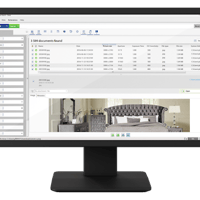

Lap is a free and open-source photo manager designed for large local photo and video collections. Instead of uploading media to a cloud service or forcing files into a proprietary library, Lap works directly with existing folders and keeps its catalog and AI data on the local computer. It supports Windows, macOS, and Linux.
The application combines photo browsing, organization, searching, duplicate cleanup, face recognition, and basic editing in one desktop interface. It is particularly aimed at users managing large personal libraries and claims to be optimized for collections containing more than 100,000 files.
Features
Lap provides a folder-first approach to photo management. Existing photos and videos remain ordinary files in their existing folders instead of being locked inside an application-specific storage system.
Its browsing and organization tools include:
Browsing by date, folder, location, camera, lens, tags, ratings, and faces
Smart Albums with customizable rules
Collections and tags
Favorites, ratings, comments, and culling states
Interactive map view for geotagged media
Duplicate detection and cleanup
Four-pane photo comparison
Multiple library support
Drag-and-drop and copy-paste import
Filesystem synchronization
Safe file move, copy, and delete operations
Lap also includes local AI capabilities. Users can search using natural-language descriptions, find visually similar images, identify subjects, cluster faces, and optionally perform multilingual searches in more than 50 languages. These AI functions run locally rather than requiring a cloud AI service.
The application supports Apple Live Photos and Google Motion Photos, while RAW and JPEG or HEIC pairs can be displayed as a single item. It also supports RAW thumbnail generation and a wide range of photo, RAW, and video formats.
Basic editing tools are included for cropping, rotating, flipping, resizing, and image adjustments.
Download Lap v0.3.2 - Local AI-powered Photo manager - Software Mirrors |
|---|
Lap v0.3.2 - Local AI-powered Photo manager for Windows |
Lap v0.3.2 - Local AI-powered Photo manager for macOS |
Lap v0.3.2 - Local AI-powered Photo manager for LinuxLap_0.3.2_arm64.deb | 195.85 MB Lap_0.3.2_amd64.deb | 204.52 MB |
Others Download related to Lap v0.3.2 - Local AI-powered Photo manager |
Lap v0.3.2 - Local AI-powered Photo manager Source CodeLap v0.3.2 - Local AI-powered Photo manager Source code (zip) Lap v0.3.2 - Local AI-powered Photo manager Source code (tar.gz) |
Lap v0.3.2 - Local AI-powered Photo manager Release Notes:Lap v0.3.2 brings new ways to explore, import, and organize your photo library. Discover geotagged photos in Map View, play Google Motion Photos, import media into date-based folders, and clean up duplicates across the library. This release also adds sharper thumbnails for large displays, configurable RAW previews, and important fixes for selection, album handling, and Linux AppImage compatibility. Highlights
New Features and Improvements
Bug Fixes
DownloadsChoose the correct package for your platform:
Auto Update Existing macOS and Windows installations can use Lap’s built-in auto-update feature. For Linux AppImage installations, download the new AppImage from the table above instead of using the built-in updater. This release includes update information and ThanksThanks to everyone who reported issues, suggested improvements, and tested development builds—especially those who helped investigate RAW preview behavior, Motion Photos, and Linux Wayland compatibility. Your feedback continues to improve Lap’s library organization and photo-browsing experience. Full Changelog: v0.3.1...v0.3.2 |
Performance and Compatibility
Lap is built with Tauri and Rust for its core, with a Vue, Vite, and Tailwind CSS frontend. It uses SQLite for its local data. The project uses LibRaw, libheif, FFmpeg, ONNX Runtime, CLIP, and InsightFace for media processing and local AI functionality.
The application is designed around large local libraries and has been optimized for collections containing 100,000 or more files. Its local-first design also means that photos do not need to be uploaded to an external service.
One important consideration is that not all organization data is stored inside the original photo files. Collections, tags, comments, ratings, favorites, culling states, Smart Albums, AI data, thumbnails, and indexes are stored in Lap's local database or configuration. This information therefore does not automatically follow a photo when it is moved or copied outside Lap.
The project supports macOS on both Apple Silicon and Intel, Windows 10 and 11 on x64 and ARM64, and Linux on x64 and ARM64. The current release provides DEB and AppImage packages for Linux.
System Requirements
Lap supports:
Windows 10 and 11
macOS on Apple Silicon
macOS on Intel
Linux x64
Linux ARM64
Linux users can install Lap using DEB or AppImage packages. macOS users can also install it through Homebrew.
No specific minimum RAM or CPU requirement is published in the project's documentation. Because local AI features such as image search and face recognition require model inference, actual resource usage will depend on the size of the library and which AI features are being used.
Pros and Cons
Pros
Free and open source
Local-first design
No required cloud account
Works directly with existing folders
Windows, macOS, and Linux support
Local AI search
Visual similarity search
Face clustering
Smart Albums
Duplicate detection
RAW support
Live Photos and Motion Photos
Map view
Large-library support
Basic photo editing
Multiple library support
Supports Intel and Apple Silicon Macs
Windows ARM64 support
Linux ARM64 support
Cons
Some organization data is stored only in Lap's local database
Metadata such as tags and ratings does not automatically travel with files outside Lap
Large AI indexes can require significant storage and processing
The project is still evolving
Windows packages are currently unsigned, so SmartScreen may display a warning during installation
How to Install
Download the appropriate package from the Lap GitHub releases page.
On Windows, choose the x64 or ARM64 MSI package depending on the system architecture.
On macOS, choose the Apple Silicon or Intel DMG package. The project also supports Homebrew:
brew tap julyx10/lap
brew install --cask lap
On Debian-based Linux distributions, install the appropriate DEB package. AppImage packages are also available for Linux.
After launching Lap, add an existing photo folder or library and allow the application to scan and index the media. AI search and other local analysis features can then build their required indexes.
Final Verdict
Lap is a capable local photo manager aimed at users who want more than a basic folder browser but do not want to move their entire photo collection into a cloud service.
Its combination of local AI search, face clustering, duplicate detection, Smart Albums, RAW support, map browsing, and direct filesystem management gives it a broad feature set. The folder-first design is also useful for users who want to retain control of their original files.
The main consideration is the separation between the original media and Lap's local database. Tags, ratings, collections, AI data, and other organizational information are not automatically embedded into the files, so the Lap database should be included in backups if that information is important.