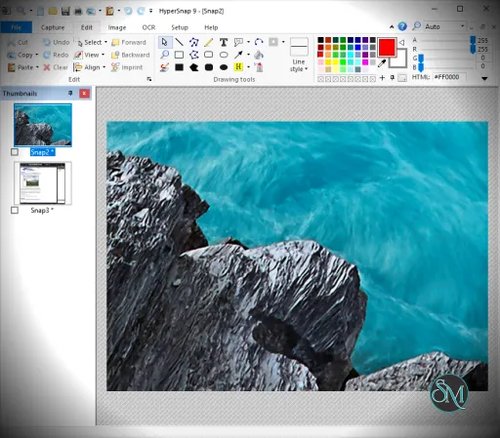


HyperSnap is a professional screen capture application that allows users to capture images from the desktop, applications, games, videos, and even text only interfaces. Unlike basic screenshot tools, HyperSnap offers advanced capture methods and built in image editing tools that streamline the process of creating polished visual content.
The software is known for its reliability, precision, and ability to handle complex capture scenarios.
Download HyperSnap 10 |
|---|
Download HyperSnap 10 (English version) |
Download HyperSnap 9 | |
|---|---|
Download 64-bit HyperSnap 9 (English version) German version HyperSnap 9 - 64-bit | Download 32-bit HyperSnap 9 (English version) German version HyperSnap 9 - 32-bit |
Key Features of HyperSnap
Advanced Capture Modes
HyperSnap supports full screen capture, window capture, region capture, scrolling windows, multi monitor setups, and text capture from supported applications.
Game and Video Capture
The software can capture frames from DirectX, OpenGL, and video playback, making it suitable for games and multimedia content.
High Quality Image Output
HyperSnap captures images with high color accuracy and sharp detail, ideal for professional documentation.
Built In Image Editor
Users can annotate screenshots with arrows, shapes, text, highlights, blur effects, and watermarks without using external editors.
Auto Scroll Capture
HyperSnap can automatically capture scrolling web pages or documents into a single image.
Hotkeys and Automation
Customizable keyboard shortcuts improve workflow speed and efficiency.
File Format Support
The software supports popular image formats including PNG, JPG, BMP, GIF, and TIFF.
Lightweight and Stable
HyperSnap runs smoothly with low system resource usage.
Benefits of Using HyperSnap
Professional Quality Screenshots
Ideal for manuals, guides, tutorials, and technical documentation.
Saves Time
Integrated capture and editing tools reduce the need for additional software.
Flexible Capture Options
Handles complex capture tasks that basic screenshot tools cannot.
Suitable for Technical Work
Excellent for capturing UI elements, code windows, and system dialogs.
Reliable Performance
Consistent results even in demanding capture scenarios.
HyperSnap is a robust and feature rich screen capture solution for users who need more than basic screenshot functionality. With advanced capture modes, high quality output, and built in editing tools, it is well suited for professional documentation and visual content creation. For users who require precision, flexibility, and dependable performance, HyperSnap remains a trusted screen capture tool.
HyperSnap is a powerful screen capture tool designed for Windows users who need high quality screenshots, advanced capture modes, and precise image editing capabilities. It is widely used by developers, technical writers, testers, designers, and content creators who require accurate and detailed screen captures for documentation, tutorials, and presentations.