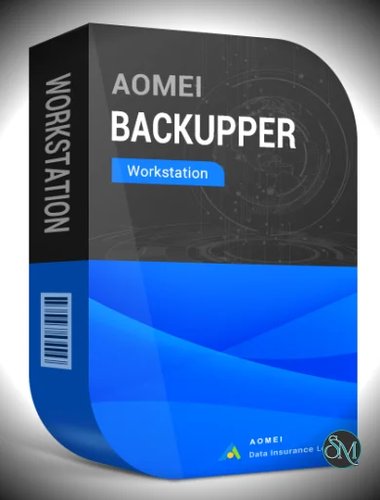

AOMEI Backupper Workstation is a business-focused backup software built for Windows PCs used in professional environments. It provides full data protection through backup, restore, sync, and cloning features, helping prevent data loss from hardware failure, ransomware, or human error.
If you need a dependable backup and recovery tool for business environments, AOMEI Backupper Workstation is designed specifically for that role. It combines system protection, automation, and recovery tools into a single solution tailored for professional use on Windows workstations.
It sits between the Professional and Server editions, making it ideal for small to mid-sized business setups.
Key Features of AOMEI Backupper Workstation
1. Complete Backup Coverage
The software supports multiple backup types:
System backup
Disk and partition backup
File and folder backup
This ensures that everything from operating systems to individual files can be protected and restored when needed.
2. Incremental and Differential Backup
Instead of backing up everything every time, it only saves changes after the initial backup. This reduces storage usage and speeds up backup processes.
3. Automated Scheduling
You can automate backups:
Daily, weekly, or monthly
Event-triggered backups
This is critical for businesses that require consistent data protection without manual intervention.
4. Disk Cloning and OS Migration
The cloning feature allows:
Full disk cloning
Partition cloning
OS migration to SSD or HDD
This is especially useful for hardware upgrades or system deployment.
5. Fast Recovery and Universal Restore
AOMEI Backupper Workstation supports:
Bare-metal restore
Selective file recovery
Restore to different hardware
This ensures business continuity even when systems fail completely.
6. Bootable Rescue Media
You can create WinPE or Linux-based bootable media to recover systems that cannot start normally.
7. Backup Security and Compression
Backups can be:
Encrypted with AES-256
Compressed to save space
Split into smaller files
These features improve both security and storage efficiency.
8. File Synchronization
It includes sync features to keep files consistent across drives or network locations, useful for team environments.
Performance and Real-World Use
AOMEI Backupper Workstation is built for reliability in business environments. It is commonly used for:
Protecting office workstations
Automating backup routines
Migrating systems to new hardware
Recovering data after system failure
Because it supports VSS technology, it can back up files even while they are in use, minimizing disruption.
User Experience
The interface is clean and easy to navigate, even for users who are not deeply technical. Tasks are organized into categories like Backup, Restore, Clone, and Sync, making workflows straightforward.
Advanced users can access deeper configuration options, while beginners can rely on guided processes.
Pros and Cons
Pros
Designed for business workstation environments
Supports full, incremental, and differential backups
Reliable cloning and OS migration tools
Strong recovery features including universal restore
Secure backups with encryption
Cons
Windows-only
Some advanced enterprise features require higher editions
Interface is functional but not modern
Who Should Use It
AOMEI Backupper Workstation is ideal for:
Small and medium businesses
IT administrators managing office PCs
Professionals needing reliable automated backups
Users upgrading systems or migrating data
It is not intended for large enterprise server environments, where server-focused editions are more suitable.
Final Verdict
AOMEI Backupper Workstation delivers a strong balance between usability and advanced backup capabilities. It is reliable, flexible, and well-suited for business environments that require consistent data protection without unnecessary complexity.
If you need a professional backup solution for Windows workstations, this software stands out as a dependable and practical choice.